Assistive Technology for Seniors with Low Vision: Essential Daily Living Solutions That Restore Independence

Understanding Low Vision and Vision Impairment in Seniors
Vision loss affects millions of older adults and ranges from partial sight reduction to complete blindness. Age-related eye conditions often develop gradually, making early detection and proper care essential for maintaining quality of life.
Common Causes and Types of Vision Loss in Older Adults
Age-related macular degeneration ranks as the leading cause of vision impairment in seniors over 60. This condition affects central vision, making reading and recognizing faces difficult while preserving peripheral sight.
Glaucoma damages the optic nerve through increased eye pressure. It typically starts with peripheral vision loss and can progress to complete blindness without treatment.
Diabetic retinopathy occurs when diabetes damages blood vessels in the retina. Nearly 30% of adults with diabetes develop some form of this condition.
Cataracts cloud the eye’s natural lens, causing blurred vision and light sensitivity. Most people over 80 have cataracts or have undergone cataract surgery.
Other common causes include:
- Stroke-related vision loss
- Corneal diseases
- Retinal detachment
- Age-related changes in eye structure
Impact on Daily Life and Independence
Vision loss significantly affects basic daily activities. Reading medication labels, cooking safely, and managing finances become challenging tasks that threaten independence.
Mobility and navigation present major obstacles. Seniors may struggle with stairs, curbs, and unfamiliar environments, leading to increased fall risks and social isolation.
Personal care activities like grooming, selecting clothing, and household maintenance require adaptation. Many seniors experience frustration and decreased confidence in their abilities.
Social connections often suffer as visual impairments make it harder to recognize faces, read social cues, and participate in group activities. This isolation can lead to depression and reduced quality of life.
Role of Vision Rehabilitation and Specialists
Vision specialists provide comprehensive eye care and early intervention services. Low vision optometrists conduct detailed assessments to determine remaining vision capabilities and recommend appropriate assistive solutions.
Vision rehabilitation teaches adaptive techniques for daily tasks. These services help seniors maximize their remaining vision while learning alternative methods for activities like cooking, reading, and personal care.
Orientation and mobility training helps seniors navigate safely both indoors and outdoors. Specialists teach techniques for using mobility aids and developing spatial awareness skills.
We work closely with vision rehabilitation professionals to ensure seniors receive proper training on assistive technology devices. This collaboration helps individuals maintain their independence and continue participating in meaningful activities.
Key Assistive Technologies for Seniors with Low Vision
Modern assistive technologies provide seniors with low vision the tools they need to maintain independence and quality of life. These solutions range from wearable devices that enhance remaining vision to software that converts text to speech.
Wearable Technology and Smart Glasses
Smart glasses represent a significant advancement in assistive technology for seniors with low vision. These devices combine computer vision and artificial intelligence to provide real-time visual assistance.
eSight smart glasses use high-definition cameras and advanced algorithms to enhance images for users. The technology magnifies objects up to 24 times while preserving peripheral vision. Users can adjust contrast, brightness, and color settings to match their specific vision needs.
Other wearable technology options include:
- OrCam MyEye: Attaches to regular glasses and reads text aloud
- Aira smart glasses: Connect users with trained agents who describe surroundings
- Envision glasses: Use artificial intelligence to identify objects and read text
These devices typically weigh less than traditional magnifiers. Battery life ranges from 4-8 hours depending on usage patterns.
Electronic Magnifiers and Video Magnifiers
Electronic magnifiers and video magnifiers provide powerful magnification capabilities for reading and detailed tasks. These assistive technologies offer superior image quality compared to traditional optical magnifiers.
Handheld electronic magnifiers range from 2x to 50x magnification. They feature LED lighting and adjustable contrast settings. Most models include freeze-frame capabilities for easier reading.
Desktop video magnifiers connect to monitors or televisions. They accommodate books, documents, and three-dimensional objects. Advanced models include:
- Distance viewing capabilities
- OCR text-to-speech functionality
- Split-screen viewing options
- Writing assistance features
Portable video magnifiers combine the benefits of handheld and desktop units. They feature built-in screens ranging from 4 to 12 inches. Many models fold flat for easy transport.
Software Solutions: Screen Readers and Magnification Software
Screen readers and magnification software enable seniors to use computers and mobile devices effectively. These assistive technologies work with existing operating systems to provide accessibility features.
JAWS (Job Access With Speech) serves as the leading screen reader for Windows computers. It converts text to speech and provides keyboard navigation shortcuts. The software works with most applications including web browsers and email programs. Learn more about the different editions of JAWS:
ZoomText is a leading solution for individuals with low vision, offering sharp screen magnification and enhanced on-screen readability. Available in Magnifier Only and Magnifier/Reader editions, ZoomText allows users to enlarge text and images, adjust color contrast, and improve clarity for all Windows applications. The Magnifier/Reader edition adds integrated speech, allowing users to both see and hear on-screen content—boosting speed, comfort, and efficiency. Learn more about the different editions of ZoomText:
ZoomText Fusion combines the full magnification and enhancement tools of ZoomText with the complete speech capabilities of JAWS. This all-in-one solution is ideal for individuals who require both magnification and screen reading, or whose vision may change over time. Fusion allows users to transition seamlessly between visual and auditory access to their computer. Learn more about the different editions of ZoomText Fusion:
These programs often combine magnification with speech output. Users can customize voice speed, highlighting colors, and magnification levels. Many include OCR capabilities to read images and PDFs aloud.
Popular Devices and Tools for Daily Living
Seniors with low vision can maintain independence through specialized magnifiers, audio devices, and tactile reading systems. These tools address specific daily challenges from reading mail to navigating technology.
Handheld and Stand Magnifiers
Handheld magnifiers offer portable magnification for quick tasks like reading labels or checking prices. These lightweight devices typically provide 2x to 10x magnification with LED lighting for enhanced visibility.
Digital handheld magnifiers feature adjustable contrast and color modes. Many models include freeze-frame capabilities that capture text for easier reading.
Stand magnifiers provide hands-free magnification for extended reading sessions. These devices rest directly on reading material, reducing hand fatigue during longer tasks.
| Magnifier Type | Best For | Magnification Range |
| Handheld | Quick tasks, portability | 2x – 10x |
| Stand | Extended reading | 2x – 8x |
| Digital handheld | Adjustable viewing | 3x – 20x |
Magnifying lenses with built-in lighting eliminate shadows and improve text clarity. Battery-powered LED systems provide consistent illumination across the viewing area.
Talking Devices and Audio Tools
Talking devices announce information audibly, eliminating the need for visual confirmation. Talking clocks, calculators, and scales provide essential daily functionality through clear voice output.
Audio tools convert printed text into spoken words. Portable reading devices scan documents and books, then read content aloud at adjustable speeds.
Audiobooks offer entertainment and information without visual strain. Digital libraries provide thousands of titles through specialized players designed for visually impaired users.
Talking label readers identify items through recorded voice tags. Users record custom labels for medications, food items, and household products.
Voice-activated assistants help with daily tasks like setting reminders, making calls, and controlling smart home devices. These systems respond to voice commands without requiring visual interaction.
Braille Displays and Braille Materials
Braille displays connect to computers and mobile devices, converting digital text into tactile braille characters. These refreshable displays use pins that raise and lower to form braille patterns.
Modern braille displays offer 12 to 80 character cells with navigation keys for efficient text reading. Many models include note-taking capabilities for portable braille writing.
Braille materials provide tactile reading options for various content types. Embossed books, magazines, and documents offer traditional braille reading experiences.
Braille labeling systems help organize household items and personal belongings. Clear tape labels with braille text identify medications, spices, and storage containers.
Portable braille writers allow note-taking and document creation anywhere. These devices store files digitally while providing tactile input through traditional braille keyboards.
Mobile Apps and Digital Solutions for Vision Support
Mobile apps and digital solutions provide seniors with low vision immediate access to assistance for daily tasks. These tools range from AI-powered object identification systems to volunteer-based support networks that connect users with real-time help.
Navigation and Daily Activities Apps
The Be My Eyes app connects seniors with low vision to volunteers worldwide through live video calls. Users can receive assistance with tasks like reading mail, identifying products, or navigating unfamiliar spaces. The app operates 24/7 with over 350,000 volunteers available in multiple languages.
Voice-activated navigation apps help seniors move safely through their environment. These applications provide turn-by-turn directions with audio cues and can identify nearby landmarks, bus stops, and store locations.
Daily task management apps offer features specifically designed for low vision users:
- Medication reminders with large text and voice prompts
- Color identification tools for clothing and household items
- Light detection features to locate well-lit areas
- Money identification through camera scanning
Many of these apps integrate with smartphones’ built-in accessibility features like VoiceOver or TalkBack for seamless operation.
Optical Character Recognition and AI-Based Tools
OCR technology transforms printed text into spoken words through smartphone cameras. Apps using optical character recognition can read documents, signs, menus, and labels aloud with high accuracy rates.
Seeing AI represents a leading-edge example of artificial intelligence for vision support. This app identifies objects, reads text, recognizes faces, and describes scenes in real-time through audio feedback.
AI-powered identification tools help seniors recognize:
- Household products and food packaging
- Currency denominations
- Personal documents and correspondence
- Street signs and building numbers
These tools work offline in many cases, ensuring functionality without internet connectivity. The recognition speed has improved significantly, with most apps providing instant audio feedback after pointing the camera at target objects.
Entertainment and Information Accessibility
Audio-based entertainment apps provide seniors access to books, podcasts, and radio content optimized for low vision users. Many feature simplified interfaces with large buttons and voice navigation.
News and information apps offer customizable text sizes, high contrast modes, and audio playback options. Users can access current events, weather updates, and local information through voice commands or simplified touch interfaces.
Social connection platforms designed for seniors with low vision include:
- Video calling apps with enhanced audio features
- Voice-based social networks for sharing experiences
- Community forums focused on vision-related topics
- Virtual event platforms with audio-first design
These entertainment solutions often integrate with smart speakers and voice assistants, allowing seniors to control content hands-free while maintaining independence in their information consumption and social interactions.
Smart Home Technology and Accessibility Solutions
Smart home technology transforms daily activities for seniors with low vision through voice-controlled assistants, automated safety systems, and seamless integration with smartphones and computers. These technologies create independent living environments that respond to verbal commands and adapt to changing needs.
Voice Assistants for Home Management
Amazon Alexa and Google Home serve as central command centers for seniors managing households without relying on visual interfaces. These devices control lighting, temperature, and entertainment systems through simple voice commands.
Daily task management becomes effortless with voice assistants. Users can set medication reminders, create shopping lists, and schedule appointments by speaking naturally. The devices read back information clearly, eliminating the need to strain reading small text.
Smart home integration allows voice control of multiple devices simultaneously. Seniors can say “Alexa, good morning” to turn on lights, start coffee makers, and receive weather updates. Google Home provides similar functionality with personalized routines.
Key voice commands for daily activities:
- “Set a timer for 20 minutes”
- “What’s on my calendar today?”
- “Call [contact name]”
- “Turn off all lights”
Home Automation and Safety
Automated safety systems provide peace of mind for seniors with low vision navigating their homes. Motion sensors activate pathway lighting automatically, preventing falls during nighttime movement.
Smart lighting systems adjust brightness levels throughout the day and illuminate rooms before entry. These systems eliminate fumbling for light switches in dark spaces. LED bulbs can be programmed to provide optimal lighting conditions for low vision needs.
Security monitoring includes doorbell cameras with audio announcements and smart locks controlled by smartphones. Seniors receive notifications about visitors without approaching doors. Emergency response features connect directly to family members or medical services.
Temperature control through programmable thermostats maintains comfortable environments without manual adjustments. These devices learn daily patterns and adjust automatically.
Integration with Mobile Devices
Smartphones and computers serve as control hubs for smart home technology, offering tactile and audio feedback options. Large-button interfaces and voice control apps make device management accessible.
Mobile apps provide centralized control of all smart home devices through high-contrast displays and screen reader compatibility. Users can adjust settings, monitor systems, and receive alerts from anywhere in the home.
Tablet integration offers larger screens for seniors who prefer visual controls over voice commands. These devices can be mounted in convenient locations throughout the home.
Remote monitoring capabilities allow family members to check on automated systems and receive alerts about unusual activity patterns. This feature provides additional safety layers without compromising independence.
New England Low Vision and Blindness Smart Home Services
Enhance your independence and safety with our Smart Home Service at New England Low Vision and Blindness. From voice-activated lighting to accessible home automation systems, we specialize in customizing your living environment to meet the needs of individuals with low vision. Discover how our experts can help you create a smarter, more functional home by visiting our Smart Homes page https://nelowvision.com/smart-homes/
With our Smart Home service, we help you learn, purchase, set up, and train the right option for you!

Choosing and Adapting Assistive Technology
Selecting the right assistive technology requires professional evaluation and proper training to ensure optimal results. Financial support options and community resources can make these tools accessible to seniors with vision loss.
Assessment by Vision Specialists
A comprehensive evaluation by a vision specialist forms the foundation for successful assistive technology selection. These professionals assess remaining vision, lighting needs, and specific daily challenges.
Vision rehabilitation specialists conduct detailed assessments that examine:
- Contrast sensitivity and color perception
- Reading speed and endurance
- Lighting preferences and glare sensitivity
- Hand-eye coordination and fine motor skills
The assessment process typically takes 1-2 hours. Specialists observe how you perform common tasks like reading mail, using a phone, or preparing meals.
Eye care professionals work closely with vision rehabilitation teams to determine the most effective solutions. They consider your specific eye condition, prognosis, and lifestyle requirements.
Key evaluation areas include:
- Distance vision needs for navigation
- Near vision requirements for reading
- Computer and digital device usage
- Mobility and orientation challenges
This thorough assessment ensures that recommended technology matches your actual needs rather than generic solutions.
Training and Adaptation for Seniors
Proper training transforms assistive technology from unfamiliar devices into daily independence tools. Most seniors need 4-8 training sessions to become proficient with new technology.
Assistive Technology Specialists provide structured training programs tailored to individual learning styles. Training typically covers device operation, maintenance, and troubleshooting basics.
The adaptation process varies by device type:
- Magnification systems: 2-3 sessions for basic operation
- Screen readers: 6-10 sessions for computer navigation
- Smart devices: 3-5 sessions for apps and features
Training sessions last 60-90 minutes to prevent fatigue. Specialists provide practice materials and homework assignments between sessions.
Common training challenges include:
- Remembering button locations and functions
- Adjusting to new reading patterns
- Coordinating hand movements with audio feedback
Family members often participate in training sessions to provide ongoing support. This approach improves long-term success rates and builds confidence.
Quality of life improvements become evident as training progresses and independence increases.
Financial and Community Support Resources
Multiple funding sources help seniors access necessary assistive technology without an overwhelming financial burden. State vocational rehabilitation agencies provide equipment funding for eligible individuals.
Primary funding options include:
- Veterans Administration benefits for qualifying veterans
- Medicare coverage for prescribed medical devices
- State assistive technology loan programs
- Private insurance partial reimbursements
Community organizations offer additional support through equipment lending libraries and refurbished device programs. Many areas have technology recycling programs that refurbish donated equipment.
Local resources typically provide:
- Equipment trials before purchase
- Group training sessions at reduced costs
- Peer mentoring programs
- Transportation to training appointments
Religious organizations and service clubs frequently sponsor assistive technology purchases for community members. Lions Clubs International maintains active programs supporting vision-related needs.
Some manufacturers offer payment plans or discounted pricing for seniors on fixed incomes. These programs require documentation of financial need and eligibility verification.
Vision rehabilitation agencies maintain current information about available funding sources and application procedures. They often assist with paperwork and coordinate between multiple funding sources.
Frequently Asked Questions
Seniors with low vision often have specific questions about available technology options, funding sources, and practical adaptations that can help maintain independence in daily activities.
What types of electronic devices are available to help seniors with low vision?
Electronic magnifiers represent one of the most popular assistive technology solutions for seniors. These devices range from handheld portable units to desktop video magnifiers that can enlarge text up to 75 times its original size.
Low Vision Smart Glasses with built-in cameras can read text aloud and identify objects in real-time. Voice-activated devices like Amazon Echo or Google Home help seniors control lights, set reminders, and access information without needing to see screens.
Talking devices include everything from watches and clocks to kitchen scales and thermometers. Screen reading software converts computer text to speech, while smartphone apps can identify colors, read labels, and provide navigation assistance.
How can assistive technology aid in daily life for those with macular degeneration?
Electronic magnification devices help people with macular degeneration by enlarging text and images while enhancing contrast. Desktop video magnifiers allow users to read mail, books, and newspapers by displaying enlarged content on a monitor.
Portable electronic magnifiers can be carried to restaurants, stores, and appointments for reading menus, price tags, and forms. Many of these devices offer adjustable magnification levels and color contrast options.
Audio books and talking devices reduce reliance on vision for entertainment and information gathering. Large-button phones with voice dialing capabilities make communication easier when central vision is compromised.
Where can seniors find free or low-cost equipment designed for the visually impaired?
State vocational rehabilitation agencies often provide funding for assistive technology devices that support employment or daily living goals. Many states have assistive technology loan programs that offer devices at reduced costs.
Veterans Administration benefits may cover assistive technology for qualifying veterans with vision loss. Some insurance plans, including Medicare, may cover certain magnification devices when prescribed by an eye care professional.
Local libraries frequently offer talking book services and may loan basic magnification devices. Community organizations and churches sometimes have equipment lending programs or fundraising initiatives to help purchase devices.
What are some household items that can be adapted for use by individuals with limited vision?
Kitchen adaptations include talking measuring cups, large-print timers, and bump dots placed on frequently used appliance settings. Contrasting cutting boards help distinguish food items during meal preparation.
Bathroom modifications can include tactile markers on medicine bottles and talking pill dispensers for medication management. Large-print or talking scales help monitor health metrics independently.
Lighting improvements throughout the home, including under-cabinet LED strips and motion-activated lights, reduce shadows and improve visibility. High-contrast tape on stair edges and door frames increases safety during navigation.
Can you provide a list of assistive devices specifically aimed at improving quality of life for the visually impaired?
Reading aids include electronic magnifiers, text-to-speech devices, and large-print keyboards for computer use. Portable scanning pens can read text aloud from books, documents, and labels.
Navigation tools encompass talking GPS devices, smartphone apps with audio directions, and white canes with electronic mobility aids. Some devices combine multiple functions, offering both magnification and text-to-speech capabilities.
Daily living aids include talking watches, voice recorders for notes, and color identification devices. Large-button telephones with speed dial functions maintain communication independence.
What resources are available for obtaining a catalog of low vision products for seniors?
At New England Low Vision and Blindness, we make it easy for seniors, caregivers, and professionals to find the right tools and solutions for vision loss. Our online catalog includes a wide range of assistive technology products—everything from handheld magnifiers to advanced electronic video magnifiers and wearable devices. Each product page provides detailed descriptions, key features, and links to additional resources so you can make informed choices.
We also provide:
- Free Downloadable Catalogs – Our catalogs highlight the most popular and effective low vision aids, with product images, specifications, and easy ordering options.
- Resource Guides and Blog Articles – We publish guides and articles to help seniors understand new technologies, compare products, and learn about daily living solutions for low vision.
- Training and Support Services – Our specialists offer personalized consultations, product demonstrations, and in-home or virtual training sessions to ensure you get the most from your technology.
- Direct Links to Product Pages – Every device we carry can be explored online with quick links to request pricing, schedule a demo, or connect with our support team.
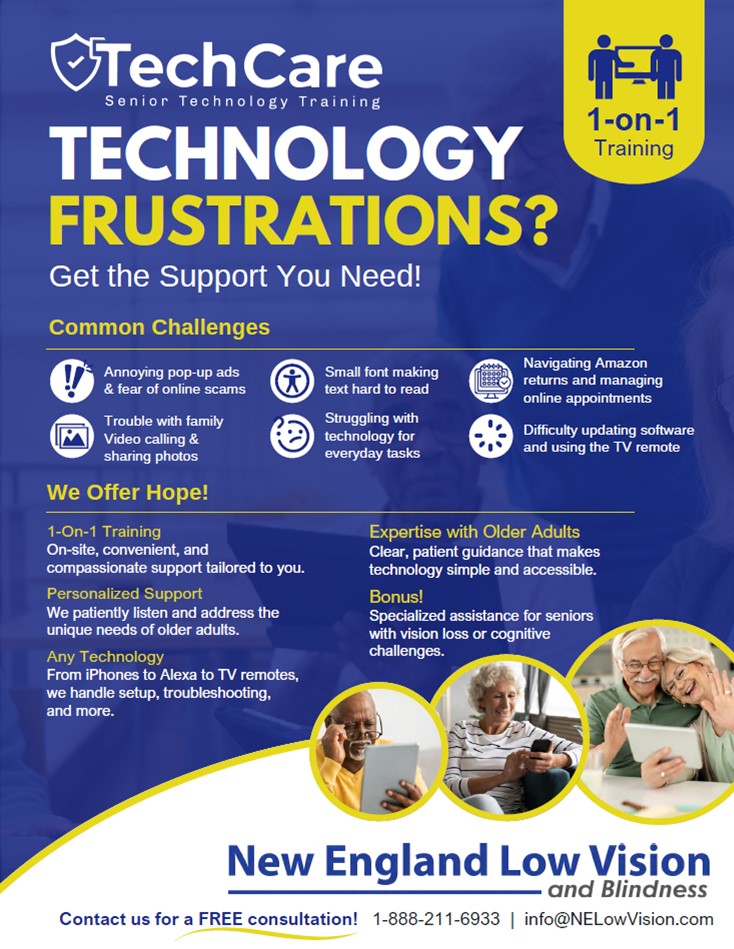
- Personalized Help for Everyday Technology – Struggling with using your phone, computer, or other devices? Our patient 1-on-1 training makes technology simple, accessible, and stress-free — even for seniors with vision loss or cognitive challenges. Call 1-888-211-6933 today for your FREE consultation!
By using our resources, seniors and caregivers can explore trusted low vision solutions in one place—backed by the expertise and support of the New England Low Vision and Blindness team.