CCTV Magnifiers and Document Cameras for Students with Visual Impairment
If you are trying to help a student with a visual impairment keep up with reading and writing in class, the number of magnification devices out there can feel overwhelming. You are not alone in that. Most parents and teachers we talk with just want one clear answer: which tool actually helps a student read comfortably and work on their own?
For sustained reading and writing in the classroom, a CCTV magnifier is usually the strongest place to start. A CCTV magnifier, also called a video magnifier, enlarges printed pages onto a screen, and for many students with visual impairment it is the difference between struggling through a worksheet and finishing it independently. Document cameras can play a helpful supporting role for whole-class lessons. This guide walks through both, so you can match the right device to your student’s needs. For how a CCTV fits alongside the other tools a student might use, see our teacher’s guide to assistive technology for students with low vision.
What Is a CCTV Magnifier?
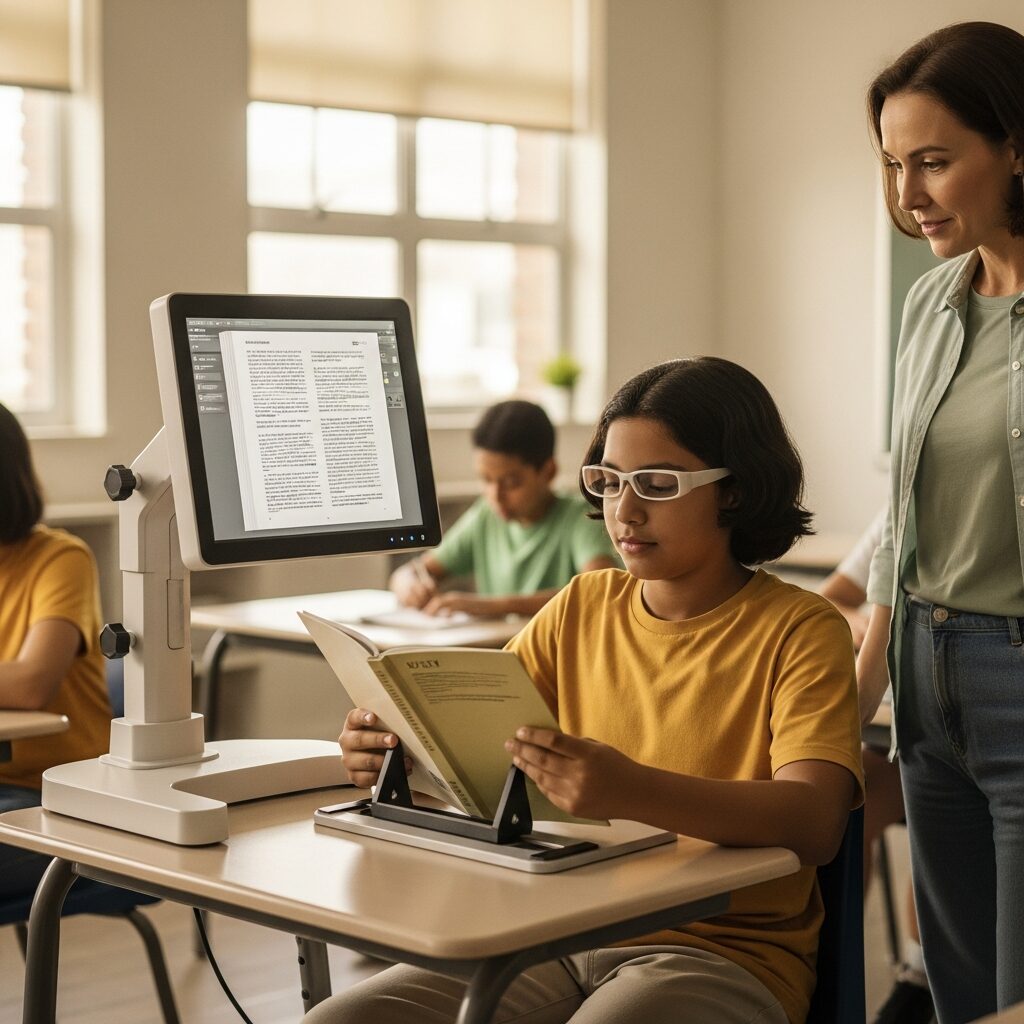
A CCTV magnifier is a camera-and-screen system that captures a page and displays it enlarged, so a student can read text that would otherwise be too small. The name comes from “closed-circuit television,” and it has stuck even though today’s devices look nothing like the bulky units of the past.
Most CCTV magnifiers enlarge material from roughly 2x up to 60x or more, which covers everything from a textbook paragraph to tiny map labels. They also let a student switch contrast, such as white text on a black background or yellow on blue, to cut glare and eye strain.
Two more features matter for schoolwork. A reading line or window masks the rest of the page to help with tracking, and an X-Y table on desktop models keeps the page steady as it moves. For a student with low vision, these controls turn dense print into something readable at their own pace.
Types of CCTV Magnifiers for the Classroom
There are three main types of CCTV magnifiers, and the right one depends on how and where your student works. Here is how they compare.
Desktop CCTVs
Desktop models pair a large screen, often 20 inches or more, with an X-Y reading table. They offer the best image quality and highest magnification, which makes them the top choice for sustained reading, writing, and homework at a fixed workstation. The trade-off is size, since they stay put at one desk. Desktop systems typically run from about $1,500 to $4,000.
Portable CCTVs
Portable units are smaller, battery-powered devices a student can carry between classrooms. Foldable designs slip into a backpack, so the same tool works in every period. The screen is smaller than a desktop model, but the flexibility is worth it for students who change rooms often. Portable CCTVs usually cost between $500 and $2,000.
Camera-to-Device CCTVs
These are camera units that connect to a tablet, laptop, or phone the student already uses, turning that screen into the display. They are the most affordable entry point, often starting around $200 to $800. The catch is that they depend on the student’s device being charged and available. A CCTV is only one category among many low vision products, and the best classroom setup often pairs a magnifier with other supports.
How Do Document Cameras Fit In?
A document camera is the tool many teachers already use to project worksheets or textbook pages onto a classroom screen. It is not a replacement for a personal CCTV magnifier, but it can supplement one well.
When a teacher displays a page through a document camera, a student with low vision can follow along with the whole class instead of waiting. Some setups can also send that image straight to the student’s own screen for a closer, personalized view.
The limits are worth knowing. A document camera sits in a fixed spot and offers less magnification than a dedicated CCTV. Think of it as a shared classroom aid that works alongside, not instead of, a student’s own magnification device.
How to Choose the Right Device for Your Student
Start with one question: does your student stay in one room or move between classes? A student at a fixed desk can get the most from a desktop CCTV, while a student switching rooms all day needs a portable or camera-to-device unit.
From there, weigh a few practical factors:
- Age and grade level: younger students often do better with simpler controls and fewer buttons.
- Tasks: reading only, or reading and handwriting? Camera-arm designs make writing underneath easier.
- Budget: camera-to-device units are the most affordable, and desktops the most capable.
It also helps to compare our electronic magnifier options so you can see models side by side before a trial. Two more steps make a real difference. First, arrange a trial before buying, since a device that looks great on paper can still feel wrong to the student who uses it. Many programs offer device loans or in-school demonstrations. Second, name the device in the student’s IEP, which helps secure funding and guarantees the tool is available where the student needs it.
Setting Up the CCTV in the Classroom
Placement comes first. Position the CCTV where the student can sit with good posture and reach the controls without stretching, and keep power cords tucked safely out of walking paths.
Training matters just as much as the hardware. A student who knows how to adjust magnification, switch contrast modes, and use the tracking line will work far more independently than one handed a device with no guidance. Build short practice sessions into the first few weeks.
Simple routines help too: when to reach for the CCTV, and when another tool such as large print or a handheld magnifier is quicker. A quick word with classmates can normalize the device, so the student feels comfortable using it. These habits carry over into the adaptive techniques for low vision that support independence well beyond the classroom.
When a CCTV Magnifier Isn’t the Right Fit
A CCTV magnifier is not the answer for every student, and it is fair to say so. If a student reads mostly short items like labels or menus, a simple handheld magnifier may be easier and far less expensive. If a student leans more on listening than on looking at print, screen readers or text-to-speech tools may serve them better.
CCTVs also ask something of the user: the patience to learn the controls and the willingness to sit at a screen. For a very young child or a student who tires quickly at a monitor, a lighter-touch tool may be the better place to begin. The goal is the student’s independence, not the fanciest device on the shelf.
Take the Next Step
Choosing a magnification device is easier when you can see the options side by side and watch your student actually use them. We offer CCTV demonstrations and low vision evaluations that match the right device to how a student reads, writes, and moves through their day.
If you would like help finding the right fit, schedule a No obligation consultation with our team at New England Low Vision and Blindness. There is no pressure, just clear guidance from people who do this work every day.
Frequently Asked Questions
What is the difference between a CCTV and a video magnifier?
There is no difference. “CCTV” and “video magnifier” are two names for the same type of device, which uses a camera and screen to enlarge print. “CCTV” comes from “closed-circuit television,” an older term that has simply stuck around.
How much does a CCTV magnifier for a student cost?
Prices typically range from about $200 for a basic camera-to-device unit to $4,000 for a full desktop system. Portable models usually fall in between, around $500 to $2,000. A trial and an IEP can help cover the cost through school funding.
Can a document camera replace a CCTV magnifier for a student with low vision?
No. A document camera helps a whole class see a shared page, but it offers less magnification and sits in a fixed spot. A student with low vision still benefits from a personal CCTV magnifier for close, independent reading and writing.