Assistive Technology Tools to Succeed at Work: Essential Solutions for Professional Independence and Productivity
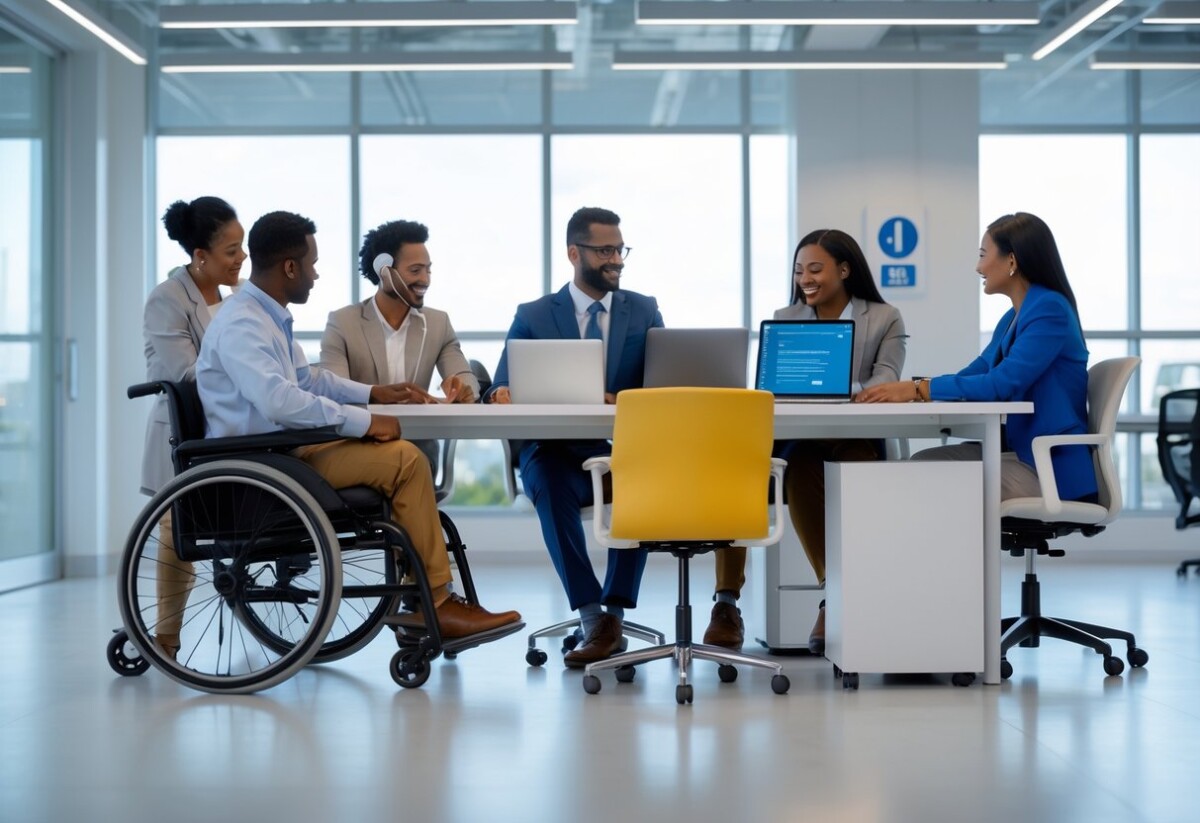
Modern workplaces are transforming to become more inclusive through assistive technology tools that empower employees with visual impairments to excel in their careers. Assistive technology provides practical solutions ranging from screen readers and magnification software to voice recognition systems that enable workers to perform job tasks independently and effectively. These tools break down barriers and create equal opportunities for professional success.
The integration of assistive technology in workplace settings has become essential as digital platforms dominate modern work environments. From accessible document formats to real-time captioning services, these technologies ensure full participation in collaborative workspaces. Organizations increasingly recognize that investing in assistive technology tools not only supports individual employees but also drives overall productivity and innovation.
At New England Low Vision and Blindness, we understand the critical role these tools play in career development and workplace independence. Our assistive technology specialists work with individuals to identify and implement the right combination of tools that match specific job requirements and personal needs. The right assistive technology setup can transform workplace challenges into opportunities for professional growth and success.
Key Takeaways
- Assistive technology tools provide essential workplace accommodations that enable employees with visual impairments to perform job duties independently and effectively
- Legal requirements and accessibility standards create supportive frameworks that ensure equal access to workplace technology and career opportunities
- Strategic implementation of assistive technology enhances both individual productivity and organizational inclusion while reducing barriers to professional success
Essential Assistive Technology Tools for Workplace Success
These tools provide the foundation for independent work performance through screen access, speech recognition, adaptive input methods, and cognitive support systems.
Screen Readers and Magnifiers
Screen readers convert digital text into synthetic speech or braille output. Popular options include NVDA, JAWS, and VoiceOver, each offering different navigation methods and compatibility features.
Important Links:
- JAWS Screen Reader – Home Edition https://nelowvision.com/product/jaws-homeedition/
- JAWS Screen Reader – Professional Edition https://nelowvision.com/product/jaws-professional-edition/
Screen magnifiers enlarge screen content up to 60x magnification. These tools provide customizable color contrasts, tracking options, and split-screen viewing modes.
Key Features:
- Voice customization (speed, pitch, tone)
- Keyboard shortcut navigation
- Web page structure recognition
- Document formatting identification
- Multiple magnification levels
- Enhanced cursor tracking
We recommend testing multiple screen readers to find the best match for your workflow. Most employers can provide these tools as reasonable accommodations under ADA guidelines.
Voice Recognition and Speech-to-Text Solutions
Voice recognition software converts spoken words into digital text with 95-99% accuracy rates. Dragon NaturallySpeaking and Windows Speech Recognition offer comprehensive dictation capabilities.
These solutions support document creation, email composition, and web browsing through voice commands. Advanced features include custom vocabulary training and application-specific command sets.
Implementation Steps:
- Complete initial voice training (30-45 minutes)
- Create custom word lists for industry terminology
- Practice navigation commands daily
- Set up noise-canceling microphones
- Configure application-specific shortcuts
Professional environments benefit from discrete microphone setups and quiet speech recognition modes for open office settings.
Adaptive and Ergonomic Keyboards
Adaptive keyboards feature larger keys, high contrast labeling, and customizable layouts. These devices reduce eye strain and improve typing accuracy for users with visual impairments.
Ergonomic keyboards prevent repetitive strain injuries through split designs and adjustable positioning. Many models include tactile key indicators and programmable function keys.
| Keyboard Type | Best For | Key Features |
| Large Print | Low vision users | 2-4x larger characters, high contrast |
| Tactile Membrane | Light touch needs | Flat surface, minimal pressure required |
| Split Ergonomic | Extended typing | Reduced wrist strain, adjustable angles |
| Programmable | Power users | Custom macros, application shortcuts |
Backlit keyboards with adjustable brightness levels provide additional visual support in various lighting conditions.
Communication and Cognitive Support Devices
Digital note-taking devices record meetings while providing real-time text transcription. These tools synchronize audio recordings with typed notes for comprehensive documentation.
Cognitive support apps offer task scheduling, reminder systems, and workflow organization. Features include voice memos, calendar integration, and priority-based task lists.
Essential Communication Tools:
- Real-time captioning software
- Audio recording devices with playback speed control
- Text-to-speech document readers
- Visual timer applications
- Contact management systems with voice dialing
Memory support technologies include GPS navigation with audio directions and medication reminder systems with voice confirmations.
Glossary
- Screen Reader: Software that converts digital text to speech or braille output
- Voice Recognition: Technology that converts spoken words into digital text
- Magnification Software: Programs that enlarge screen content for better visibility
- Adaptive Keyboard: Modified keyboards with enhanced visual or tactile features
- Real-time Captioning: Live transcription of spoken words into text
- Tactile Feedback: Physical response from devices through vibration or texture
- Speech Synthesis: Computer-generated artificial speech from text
- Ergonomic Design: Equipment shaped to reduce physical strain during use
- OCR Technology: Optical Character Recognition that converts images to editable text
- Assistive Technology: Tools and devices that help people with disabilities perform tasks
Troubleshooting Matrix
| Problem | Cause | Solution |
| Screen reader not responding | Software conflict | Restart application, check audio settings |
| Voice recognition low accuracy | Background noise | Use noise-canceling microphone, retrain voice profile |
| Magnifier freezing | Memory overload | Close unused programs, restart magnification software |
| Keyboard not registering keystrokes | Driver issues | Update keyboard drivers, check USB connection |
| Audio cutting out | Hardware malfunction | Test different audio devices, check volume levels |
Workplace Accessibility and Legal Considerations
Legal frameworks and accessibility standards create the foundation for successful employment outcomes for people with visual impairments. Understanding your rights under federal law and workplace accommodation policies ensures equal access to career opportunities.
Understanding Accessibility
Workplace accessibility encompasses both physical and digital environments that enable all employees to perform their jobs effectively. This includes accessible technology interfaces, screen reader compatibility, and workplace layouts that accommodate various mobility needs.
Physical accessibility involves building design elements like accessible entrances, elevator access, and workstation configurations. Digital accessibility focuses on software compatibility with assistive technologies such as screen readers, voice recognition systems, and magnification tools.
Modern workplaces rely heavily on technology platforms including collaboration tools, content management systems, and internal communication networks. When these systems lack accessibility features, they create barriers that prevent employees from accessing essential work resources.
Accessible design benefits all workers, not just those with disabilities. Features like keyboard shortcuts, voice commands, and customizable display options improve productivity across diverse work environments and situations.
Americans with Disabilities Act and Workplace Rights
The Americans with Disabilities Act (ADA) mandates that employers provide equal employment opportunities for individuals with disabilities. This federal law applies to companies with 15 or more employees and covers all aspects of employment from hiring through termination.
Under ADA guidelines, employers cannot discriminate based on disability status during recruitment, interviewing, or job performance evaluations. The law requires employers to focus on essential job functions and evaluate candidates based on their ability to perform these tasks with or without reasonable accommodations.
Key ADA workplace protections include:
- Equal access to job applications and interview processes
- Non-discriminatory hiring practices
- Protection from harassment based on disability status
- Equal access to workplace benefits and advancement opportunities
Employers must engage in an interactive process when employees request accommodations. This dialogue helps identify effective solutions that meet both employee needs and business requirements without creating undue hardship for the organization.
Reasonable Accommodations Policies
Reasonable accommodations are modifications or adjustments that enable qualified individuals with disabilities to perform essential job functions. These accommodations must not impose undue hardship on employers while providing necessary workplace access.
Common workplace accommodations for visual impairments include:
| Accommodation Type | Examples | Implementation Timeline |
| Assistive Technology | Screen readers, magnification software, speech recognition tools | 2-4 weeks |
| Workplace Modifications | Adjustable lighting, ergonomic workstations, accessible parking | 1-3 weeks |
| Policy Adjustments | Flexible scheduling, remote work options, modified break schedules | Immediate to 2 weeks |
The accommodation request process begins when an employee discloses their disability and requests workplace modifications. Employers must respond promptly and work collaboratively to identify effective solutions.
Accommodation request checklist:
- Document your specific needs in writing
- Identify essential job functions requiring accommodation
- Propose potential solutions based on your experience
- Provide medical documentation if requested
- Participate in ongoing accommodation discussions
Employers cannot require employees to accept their first accommodation offer if more effective alternatives exist. The interactive process continues until both parties agree on reasonable solutions that meet workplace accessibility requirements.
Maximizing Productivity and Inclusion Through Assistive Technology
Assistive technology transforms workplace environments by providing specialized tools that enable employees with visual impairments to perform at their highest potential. These solutions create measurable improvements in job performance while fostering inclusive cultures that benefit entire organizations.
Boosting Productivity with Assistive Tools
Screen reading software increases productivity by converting text to speech at speeds up to 400 words per minute. JAWS and NVDA allow rapid navigation through documents, emails, and databases.
Voice recognition systems enable hands-free document creation and computer control. Dragon NaturallySpeaking achieves 99% accuracy for dictation tasks.
| Tool Category | Primary Function | Productivity Gain |
| Screen Readers | Text-to-speech conversion | 300% faster text processing |
| Voice Recognition | Hands-free input | 50% reduction in typing time |
| Magnification Software | Visual enhancement | 75% improved reading speed |
Braille displays provide tactile feedback for complex data analysis. These devices connect to computers and smartphones for seamless information access.
Magnification software enlarges screen content up to 60x magnification. ZoomText and MAGic maintain image clarity while reducing eye strain.
Employer Benefits and Inclusive Workplace Culture
Organizations investing in assistive technology see immediate returns through increased employee retention. Companies report 89% retention rates for employees with disabilities when proper accommodations exist.
Tax incentives reduce implementation costs significantly. The Work Opportunity Tax Credit provides up to $2,400 per qualified employee.
Inclusive workplaces demonstrate 3x higher innovation rates compared to traditional environments. Diverse problem-solving approaches drive creative solutions across departments.
Reduced turnover costs save organizations an average of $15,000 per retained employee. Training and recruitment expenses decrease substantially.
Legal compliance becomes straightforward with proper assistive technology infrastructure. ADA requirements are met through comprehensive accommodation programs.
Enhanced company reputation attracts top talent and increases customer loyalty. Organizations known for inclusion receive 70% more job applications.
Supporting Employees with Disabilities
Individualized assessments determine specific technology needs for each employee. We evaluate work tasks, visual capabilities, and environmental factors to recommend optimal solutions.
Training programs ensure successful technology adoption. Our assistive technology specialists provide hands-on instruction for software operation and workflow integration.
Ongoing technical support maintains productivity levels through troubleshooting and updates. Regular check-ins identify emerging needs and technology upgrades.
Workplace modifications complement assistive technology implementation. Proper lighting, ergonomic positioning, and accessible workstations maximize tool effectiveness.
Peer mentorship programs connect new employees with experienced users. Knowledge sharing accelerates learning and builds supportive networks.
Regular technology evaluations ensure tools remain current with job responsibilities. As roles evolve, assistive technology requirements may change accordingly.
Frequently Asked Questions
Workplace assistive technology encompasses screen readers, magnification software, voice recognition programs, specialized keyboards, and communication devices that enable employees with disabilities to perform essential job functions effectively.
What are various examples of assistive technology that can aid employees with disabilities in performing their job functions?
Screen magnifiers and large display monitors help employees with visual impairments read documents and navigate computer interfaces. Screen readers convert text to speech, enabling blind employees to access digital content and applications.
Voice recognition software allows employees with mobility limitations to control computers through speech commands. Communication devices support workers with speech or hearing impairments during meetings and phone calls.
Power chairs and mobility aids enable employees with physical disabilities to move around the workplace safely. Hearing aids and assistive listening devices help workers with hearing loss participate in conversations and presentations.
Specialized keyboards with large keys or alternative layouts accommodate employees with dexterity challenges. Touchscreen interfaces provide intuitive navigation options for various disabilities.
How can assistive technology be integrated into the workplace to improve accessibility for visually impaired employees?
Install screen reading software on all workstations to convert text and interface elements into speech or braille output. Configure screen magnification programs that can enlarge text up to 20 times the original size.
Provide high-contrast monitors and adjust lighting conditions to reduce glare and improve visibility. Set up voice recognition software to enable hands-free computer operation and document creation.
Implement accessible document formats and ensure all digital materials are compatible with assistive technology. Train IT staff on assistive technology maintenance and troubleshooting procedures.
What are the most effective pieces of assistive equipment to support individuals with disabilities in maintaining productivity at work?
Screen readers rank as the most essential tool for blind employees, providing complete access to computer systems and applications. Magnification software enables employees with low vision to customize text size and contrast settings.
Voice recognition programs allow hands-free document creation and computer control. Ergonomic keyboards and alternative input devices reduce physical strain and accommodate various motor abilities.
Communication devices facilitate clear interaction during meetings and phone conferences. Adjustable desks and workstation modifications create comfortable working environments for employees with mobility needs.
Can you provide examples of assistive technology specifically designed for enhancing communication in a professional setting?
Video relay services connect deaf employees with hearing colleagues through sign language interpreters. Text-to-speech software converts written messages into spoken words during presentations and meetings.
Hearing loops amplify audio signals directly to hearing aids, improving sound clarity in conference rooms. Real-time captioning services provide text transcriptions of spoken conversations and presentations.
Communication apps with picture symbols help employees with cognitive disabilities express ideas clearly. Voice amplification devices assist workers with speech impairments in being heard during group discussions.
What types of assistive devices are commonly used to help individuals with physical disabilities in the workplace?
Ergonomic keyboards with larger keys and alternative layouts reduce strain on hands and wrists. Voice recognition software eliminates the need for manual typing and mouse navigation.
Adjustable desks allow employees to switch between sitting and standing positions throughout the workday. Specialized mouse alternatives include trackballs, joysticks, and eye-tracking systems.
Document holders position papers at optimal reading angles to reduce neck strain. Reaching aids and grasping tools help employees access materials and operate equipment independently.
How does assistive technology contribute to the inclusivity and participation of aging employees experiencing physical losses or illnesses?
Screen magnification software compensates for age-related vision changes by enlarging text and images to comfortable viewing sizes. Voice recognition programs reduce physical typing demands for employees with arthritis or joint pain.
Hearing aids and assistive listening devices help older workers participate fully in meetings and phone conversations. Ergonomic workstation adjustments accommodate reduced mobility and physical limitations.
Memory aids and organizational software support employees experiencing cognitive changes. Flexible technology options allow aging workers to maintain productivity while adapting to physical changes over time.
You’re Not Alone — We’re Here to Help Your Family Take the Next Step
Our caring specialists at New England Low Vision and Blindness are here to help you and your family take the next steps with confidence. Schedule a Free Consultation or Contact Us today to learn how early intervention and the right assistive technology can empower your child to thrive.