Best Digital Magnifiers for Low Vision: A Complete Buyers Guide
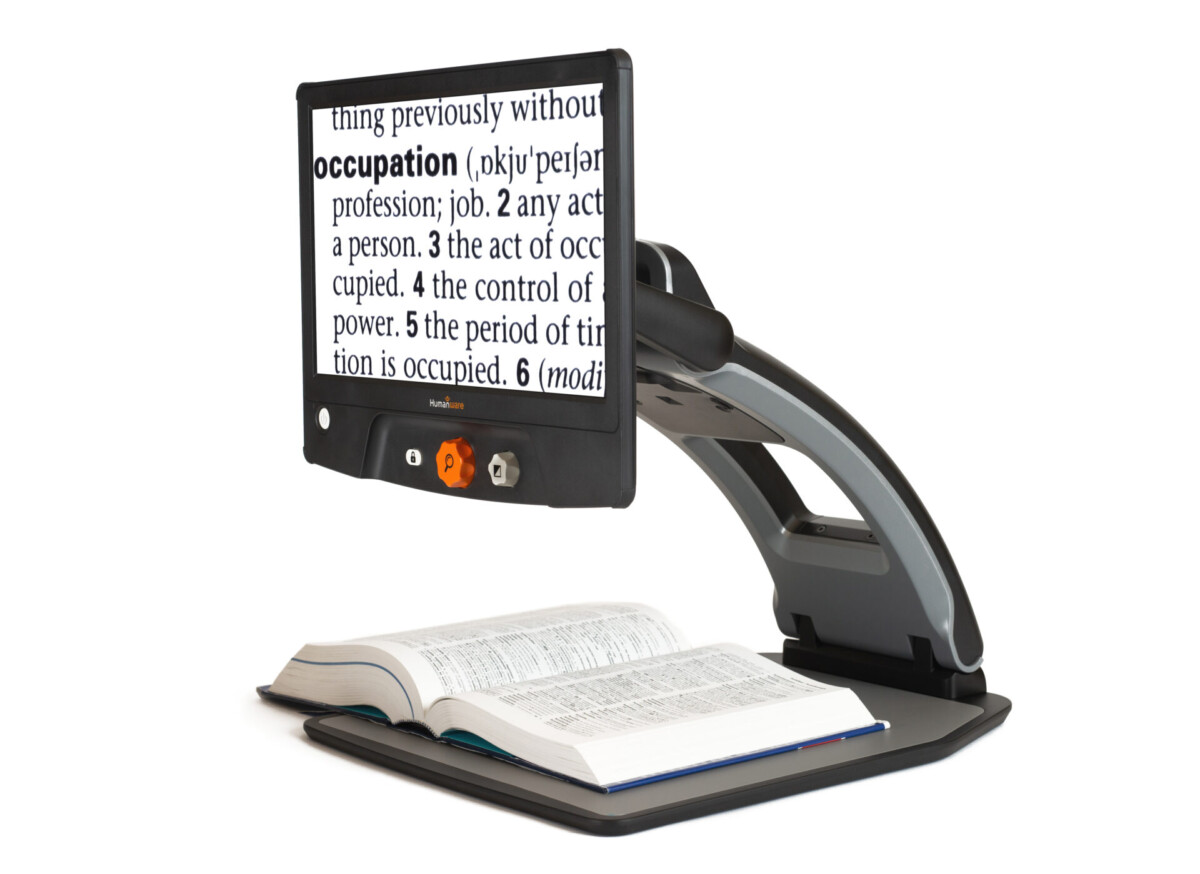
A digital magnifier is a handheld or desktop device that uses a camera and screen to enlarge text and images, making them readable for people with low vision. Unlike a traditional magnifying glass, a digital magnifier (also called an electronic magnifier or video magnifier) lets you adjust the magnification level, change the color contrast, and freeze an image so you can read it comfortably. If you’re living with macular degeneration, diabetic retinopathy, or another condition that affects your central vision, a digital magnifier can help you read mail, labels, books, and more with far less strain.
At New England Low Vision and Blindness, we help people find the right magnifier for their specific vision needs and daily life. This guide covers everything you need to know before making a decision.
Digital vs. Electronic vs. Video Magnifier: What Is the Difference?
You will see these terms used interchangeably online, and that can make shopping confusing. Here is a quick breakdown:
- Digital magnifier and electronic magnifier mean the same thing. Both refer to devices that use a built-in camera to capture an image and display it enlarged on a screen. “Digital magnifying glass” is another name people use for the same category of product.
- Video magnifier is an older term for the same technology, especially desktop models. You may also see “CCTV” (closed-circuit television) used for large desktop units.
- Handheld digital magnifier refers to a portable, battery-powered model small enough to carry in a bag or pocket.
All of these devices do the same core job: capture, enlarge, and display. The differences come down to screen size, portability, magnification range, and price.
Comparison Table: Digital Magnifiers at a Glance
The table below compares key models available through NELVB across magnification, screen size, portability, and typical price range.
| Model | Type | Magnification | Screen Size | Best For | Price Range |
|---|---|---|---|---|---|
| Ruby HD | Handheld | 2x to 14x | 4.3 in | Reading on the go, labels, mail, menus | $300–$450 |
| CloverBook Pro | Portable / Desktop | 2x to 24x | 13.3 in (tablet) | Home use and travel, flexible setup | $700–$1,200 |
| MirrorPad Plus | Desktop | Up to 24x | 11 in | Extended reading sessions at home | $500–$800 |
| Entry handheld magnifiers | Handheld | 2x to 8x | 3–4 in | Simple tasks, tight budget | $100–$250 |
| Desktop video magnifiers | Desktop | 4x to 60x | 19–24 in | High-volume reading, professional use | $1,200–$3,500 |
Pricing reflects typical NELVB retail ranges and may vary. Call us for current availability.
Who Should Buy a Digital Magnifier?
A digital magnifier is a strong fit if you are dealing with any of the following:
Macular degeneration. Loss of central vision is the most common reason people start looking at digital magnifiers. The ability to adjust magnification and color contrast makes a real difference for reading text your eye can no longer see clearly.
Diabetic retinopathy. Vision can fluctuate day to day with this condition. A digital magnifier lets you increase magnification on hard days without switching devices.
Glaucoma. Peripheral vision loss can make it hard to track lines of text. A magnifier with a freeze-frame function lets you hold an image steady.
Low vision from any cause. If you have been told your vision cannot be fully corrected with glasses or surgery, assistive magnification technology is often the most practical first step.
Anyone who wants to keep reading independently. You do not have to have a specific diagnosis. If small print has become a daily frustration, a digital magnifier is worth trying.
Top Digital Magnifiers for Low Vision: NELVB Recommendations
Ruby HD Handheld Magnifier
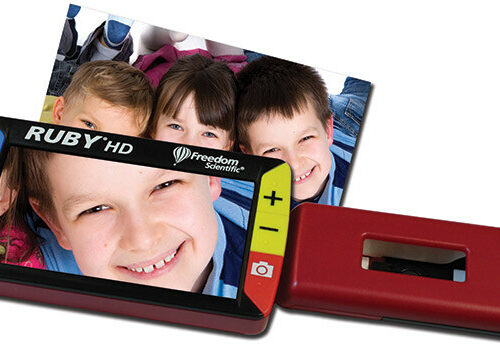 The Ruby HD is one of the most popular handheld digital magnifiers we carry. It fits easily in a pocket or purse and turns on instantly.
Pros:
- Compact and lightweight
- 24 color and contrast modes including reverse contrast
- Freeze-frame function to hold an image while you read
- Bright LED lighting built in
- Simple controls suitable for all tech comfort levels
Cons:
- Smaller screen than portable desktop units
- Not ideal for extended reading sessions (best for short tasks)
- Magnification tops out at 14x
Best for: Reading price tags, medicine labels, menus, mail, and any quick task away from home.
CloverBook Pro Portable Magnifier
 The CloverBook Pro bridges the gap between a handheld magnifier and a full desktop unit. It folds flat for travel and opens into a 13.3-inch tablet-style screen.
Pros:
- Large screen makes extended reading comfortable
- Folds for easy transport, great for travel or moving room to room
- Up to 24x magnification with 26 color/contrast modes
- Distance viewing mode for seeing a whiteboard or TV
- Rechargeable battery for use without power outlet
Cons:
- Heavier than a standard handheld model
- Higher price point
- Takes a few minutes to set up compared to a pocket magnifier
Best for: People who want one device for home reading AND occasional use on the go. Strong choice for someone who reads for longer periods each day.
MirrorPad Plus Desktop Magnifier
 The MirrorPad Plus is a desktop magnifier designed for home use. It connects to a dedicated screen for a stable, consistent reading experience.
Pros:
- Comfortable for long reading sessions
- Up to 24x magnification
- Full-color display with multiple contrast modes
- Designed to sit on a desk or table at a fixed workstation
Cons:
- Not portable
- Requires a dedicated table space
- Lower maximum magnification than full CCTV desktop units
Best for: People who do most of their reading at a desk and want a dedicated, easy-to-use home magnification station.
How to Choose the Right Digital Magnifier: A Buyer’s Checklist
Use these questions to narrow your options before buying.
1. Where will you use it most?
- Mostly at home at a desk: consider a desktop or portable desktop model like the Cloverbook Pro or MirrorPad.
- On the go or in multiple locations: a handheld like the Ruby is more practical.
- Both: the Cloverbook Pro’s fold-flat design makes it a strong all-in-one.
2. How much magnification do you need? Your eye care provider or a low vision specialist can give you a clearer answer. A rough guide: most people with moderate low vision do well with 4x to 12x. People with more significant central vision loss may need 14x to 24x or higher.
3. How long do you read at a stretch? Short tasks (labels, mail, quick notes): a handheld model is fine. Longer sessions (books, documents, newspapers): a larger screen reduces eye strain.
4. Do you need distance viewing? Some portable models offer a distance mode to see a whiteboard, TV, or sign across a room. If that matters to you, look for it as a feature.
5. What is your technology comfort level? Most digital magnifiers are straightforward to operate. The Ruby has a single on/off button and simple controls. If you want to keep things very simple, favor models with fewer buttons.
6. What is your budget?
- Under $450: handheld models like the Ruby
- $500-$900: portable desktop models like the MirrorPad and Cloverbook Pro at the lower end
- $1,200 and up: full desktop video magnifier systems with larger screens
Reminder: Some insurance plans, Medicare Advantage plans, veterans benefits, and state assistance programs cover low vision aids. Ask us about funding options during your free consultation.
Frequently Asked Questions About Digital Magnifiers
What is a digital magnifier used for? A digital magnifier is used to enlarge printed text and images so that people with low vision can read them clearly. Common uses include reading books, mail, medication labels, menus, bills, recipes, and small print on packaging. Some models also have a distance mode for reading signs or whiteboards.
What is the difference between a digital magnifier and a handheld magnifier? A traditional handheld magnifier uses a glass lens to physically enlarge an image. A digital magnifier uses a camera to capture the image and display it enlarged on a screen. Digital magnifiers offer adjustable magnification, color contrast settings, freeze-frame capability, and often better image quality for people with significant vision loss.
How much magnification do I need? That depends on your level of vision loss and what you are reading. A low vision specialist can assess your needs and recommend a starting magnification range. As a general guide, 4x to 10x works for mild to moderate low vision; 14x to 24x is more common for people with significant central vision loss from conditions like macular degeneration.
Can I try a digital magnifier before I buy one? Yes. At NELVB, we offer hands-on demonstrations of magnifiers so you can try different models before making a decision. We strongly encourage this, because the right fit depends on how it feels in your hands and how well you can see on the specific screen.
Are digital magnifiers covered by insurance? Coverage varies. Some Medicare Advantage plans, Medicaid programs, VA benefits, and state vocational rehabilitation programs cover low vision aids including digital magnifiers. We can help you explore funding options during your consultation. It is worth asking before paying out of pocket.
How is a digital magnifier different from a smartphone app? Smartphone magnifier apps can be useful for quick tasks, but they have limitations: the screen is smaller, the camera quality varies, contrast options are limited, and the experience can be harder to control. A dedicated digital magnifier is designed specifically for people with vision loss, with better image quality, easier controls, more contrast settings, and a screen optimized for low vision use.
Ready to Find Your Best Match? Start with a Free Consultation.
Choosing a digital magnifier is easier when you have a low vision specialist in your corner. We will ask about your vision condition, what you are trying to read, and how you live your day. Then we will point you to the right device and make sure you know how to use it.
There is no pressure and no obligation. Just expert guidance, hands-on demonstrations, and the support you need to make a confident decision.
Schedule your free consultation with NELVB or call us to talk through your options.