


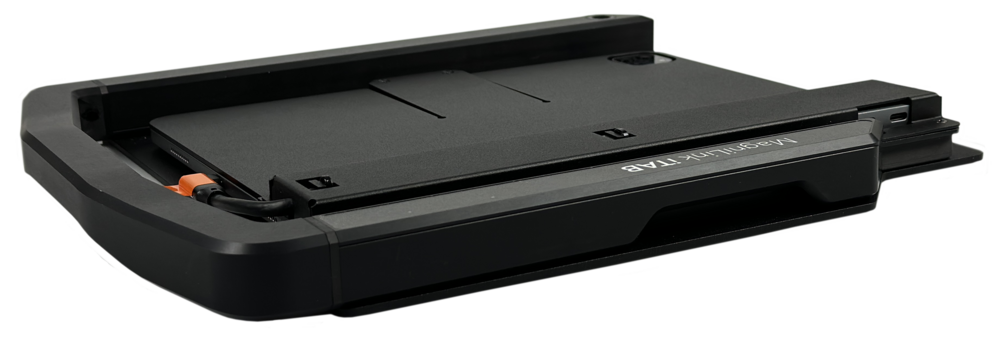
MagniLink iTAB Portable Low Vision Aid for iPad Pro 11” and iPad

The MagniLink iTAB is a portable low vision aid designed for iPad Pro 11″ users, delivering real-time magnification and text-to-speech capabilities. Ideal for students and professionals, it enhances accessibility on the go with seamless integration and lightweight design. Perfect for reading, writing, and viewing documents, the iTAB empowers users with independence and flexibility in any environment.

$3,695.00

-

View Brochure
View User Manual
Description

Unleash the Power of MagniLink iTAB: Revolutionizing Low Vision Assistance

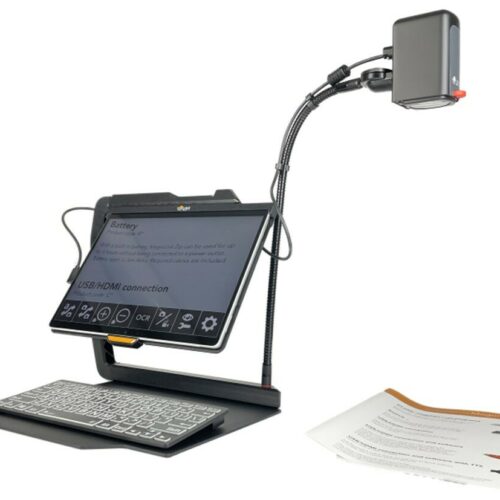
The MagniLink iTAB Portable Low Vision Aid for iPad Pro 11” and iPad, boasts a sleek and lightweight design, making it a desirable portable video magnifier that users can easily carry wherever they go. Its high-resolution display ensures that users with low vision experience crisp and clear images, text, and graphics, enhancing their visual accessibility.

Compact solution for iPad

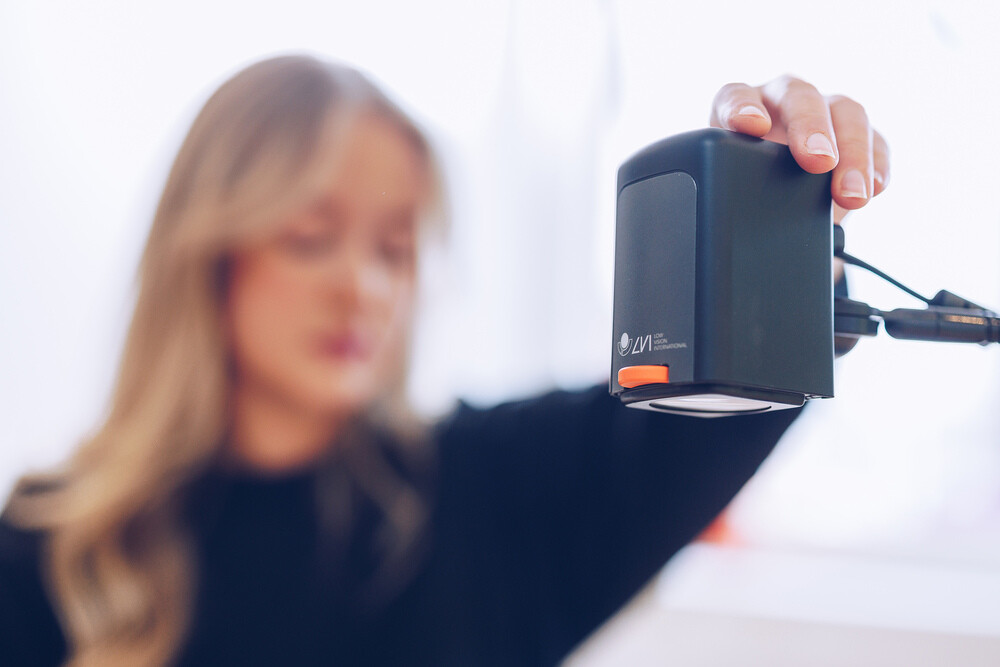
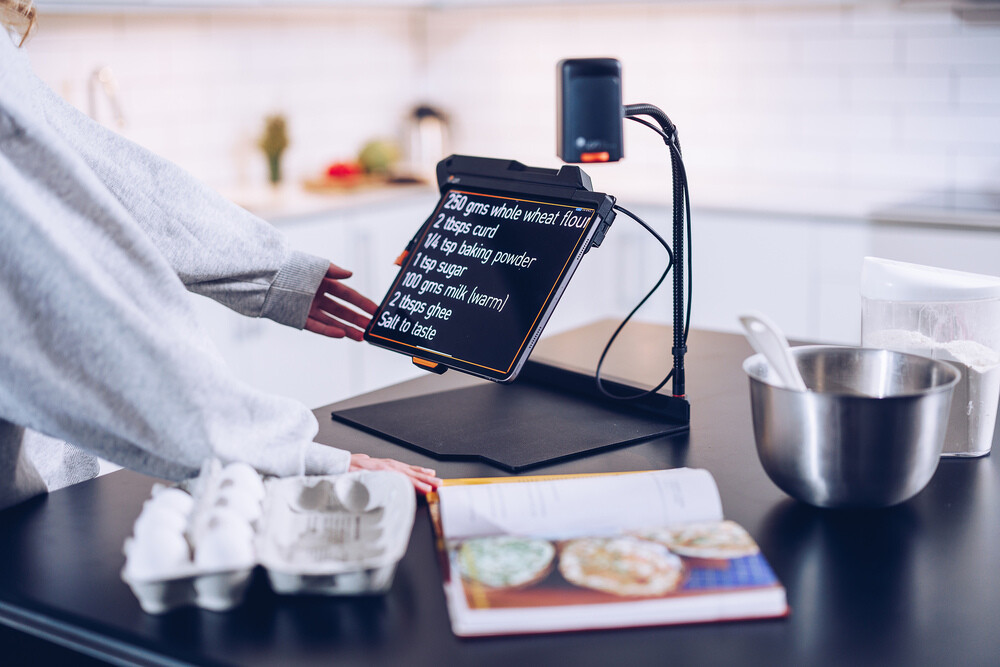
Users can customize their viewing experience with adjustable settings such as magnification levels, color contrast, and text size, making the MagniLink iTab a versatile and user-friendly low vision aid. Equipped with an integrated camera, the MagniLink iTab enables users to capture and magnify real-world images, documents, and objects with ease, further enhancing its functionality as a portable low magnifier.

Additionally, the MagniLink iTab offers versatile connectivity options, allowing users to seamlessly connect to external devices such as computers, smartphones, and tablets, expanding its capabilities as an electronic magnifier.

The Ultimate Companion for Those on the Go

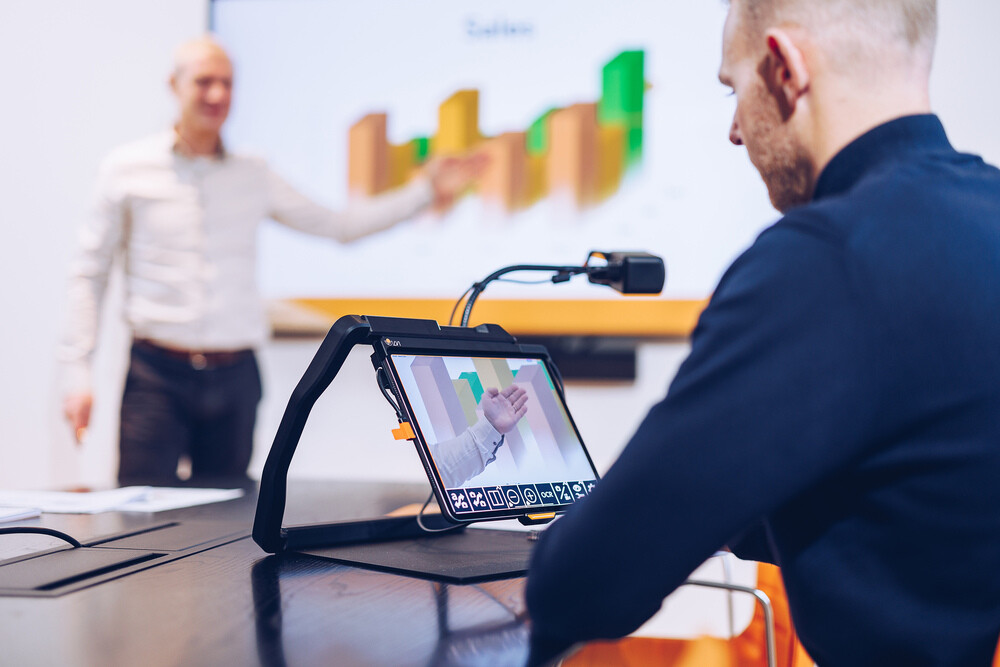
The MagniLink iTab is not just a low vision aid; it’s the ultimate companion for individuals leading active lifestyles. With unmatched portability and functionality, the iTab ensures that users can navigate their daily adventures with ease. Its sleek and lightweight design facilitates effortless transportation, enabling users to carry the iTab wherever their journeys take them.

Featuring a high-resolution display, the iTab delivers clear and crisp images, making it perfect for reading menus, signs, and other essential documents while on the move. Its innovative features and user-centric design represent a significant advancement in assistive technology, empowering users to lead more independent, fulfilling lives. Invest in the MagniLink iTab today and experience the transformative power of portable visual assistance.

Perfect for Students

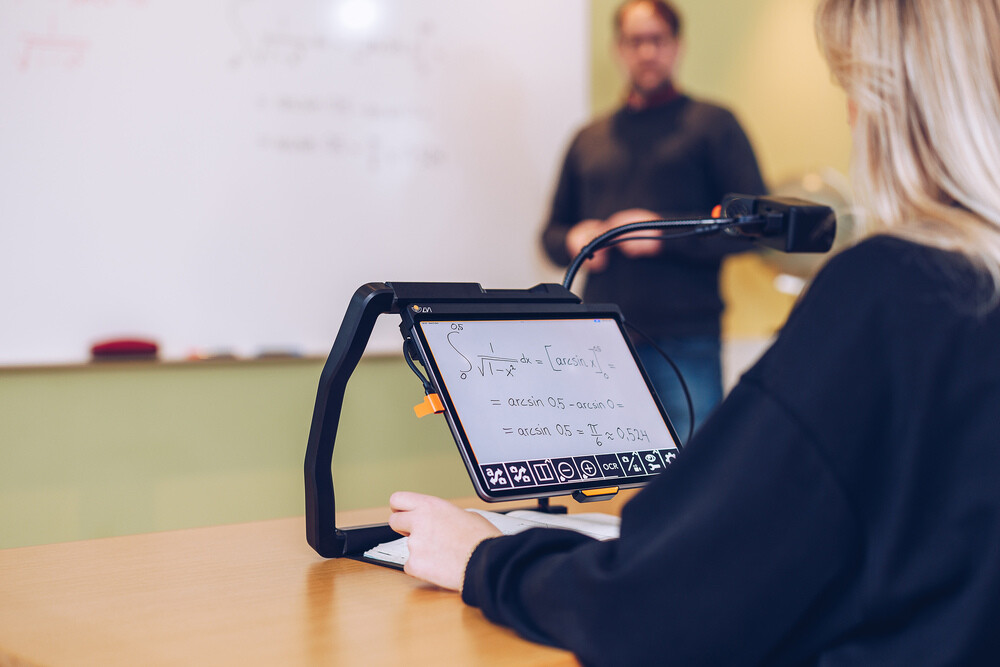
The MagniLink iTab from LVI America serves as the ideal companion for students with low vision, providing unmatched accessibility and functionality to bolster their academic endeavors. Its portable design ensures that students can bring the iTab wherever they go, guaranteeing reliable visual assistance at all times. With a high-resolution display, the iTab renders textbooks, notes, and class materials with clarity and precision, enhancing the learning experience.

Customizable settings such as magnification levels, color contrast, and text size empower students to tailor their viewing experience to their specific preferences and visual requirements. The integrated camera feature facilitates research, note-taking, and studying by enabling students to capture and magnify real-world images and documents effortlessly. Additionally, versatile connectivity options allow seamless integration with external devices like computers and tablets, further augmenting its utility in educational settings.

Which iPad Model do I need?

Model*

Stand Camera Fits iPad-Model** SKU #

MagniLink iTAB SC 11

Yes Yes iPad Pro 11” ML-iTAB-SC-11

MagniLink iTAB SC 12.9 

Yes Yes iPad Pro 12.9”

ML-iTAB-SC-12.9

MagniLink iTAB S 11 Yes No iPad Pro 11”

ML-iTAB-S-11

MagniLink iTAB S 12.9 Yes No iPad Pro 12,9”

ML-iTAB-S-12.9

* iPad is not included.

** Works with iPad Pro 11” (4th Gen 2022 with M2 chip), iPad Pro 12.9” (6th Gen 2022 with M2 chip) with USB-C connector and IOS 17.0. If MagniLink iTAB is purchased without camera, some MagniLink video magnifiers can be used instead, such as a MagniLink S, manufactured from 1st of November 2021.

Software with limitless possibilities

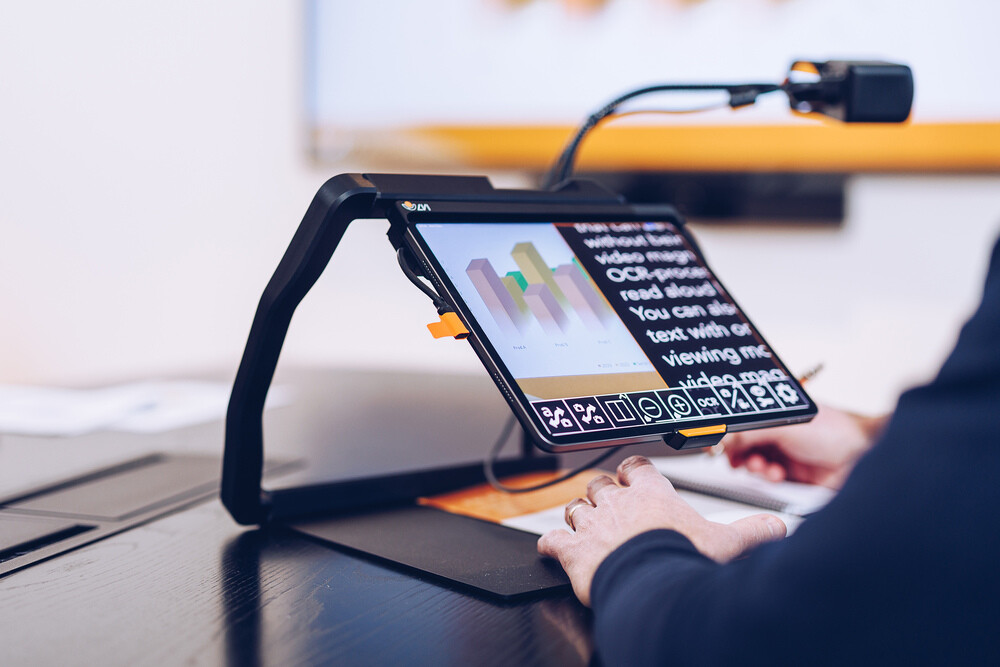
The heart of the iTAB is the MagniLink Viewer software which is easily downloaded from the App Store. MagniLink Viewer offers different display modes that promote increased speed, endurance, and relaxation during reading. You can access digital and printed documents. The OCR function is always included, giving users the opportunity to have printed and digital text read aloud to stave off exhaustion. The MagniLink Viewer supports iPad’s touch screen gestures, and short keys via a Bluetooth keyboard.

Important Note: As an iPad user you should use the software MagniLink Viewer that enables your MagniLink iTAB to operate with your iPad. If you want to read more about the software, and see System Requirements for MagniLink Viewer follow the link here.

Benefits of the MagniLink iTab

Investing in the MagniLink iTab offers numerous benefits for individuals with low vision:

  • Enhanced Accessibility: The iTab provides enhanced accessibility, empowering users to engage more fully in daily activities.
  • Improved Independence: Users can confidently tackle tasks and navigate their surroundings with greater ease and confidence.
  • Increased Productivity: The iTab facilitates efficient information processing and task completion, enhancing productivity.
  • Flexible Use Cases: Whether used for personal, educational, or professional purposes, the iTab adapts to various environments.
  • Empowering Technology: The iTab leverages cutting-edge technology to overcome visual barriers and empower users to pursue their goals.

The MagniLink iTAB is a premier portable video magnifier for anyone with low vision, it offers unparalleled accessibility, functionality, and convenience. With its innovative features and user-centric design, the iTab represents a significant advancement in assistive technology, empowering users to lead more independent, fulfilling lives. Invest in the MagniLink iTab today and experience the transformative power of portable visual assistance.

Experience theMagniLink iTAB Portable Low Vision Aid for iPad Pro 11” and iPad

Discover how the MagniLink iTAB Portable Low Vision Aid can transform your daily life by delivering crystal-clear magnification, easy text-to-speech features, and unmatched portability. At New England Low Vision and Blindness, we’re committed to helping you find the best low vision solutions tailored to your needs.

Helpful Resources

Steps for setting up the iTAB:

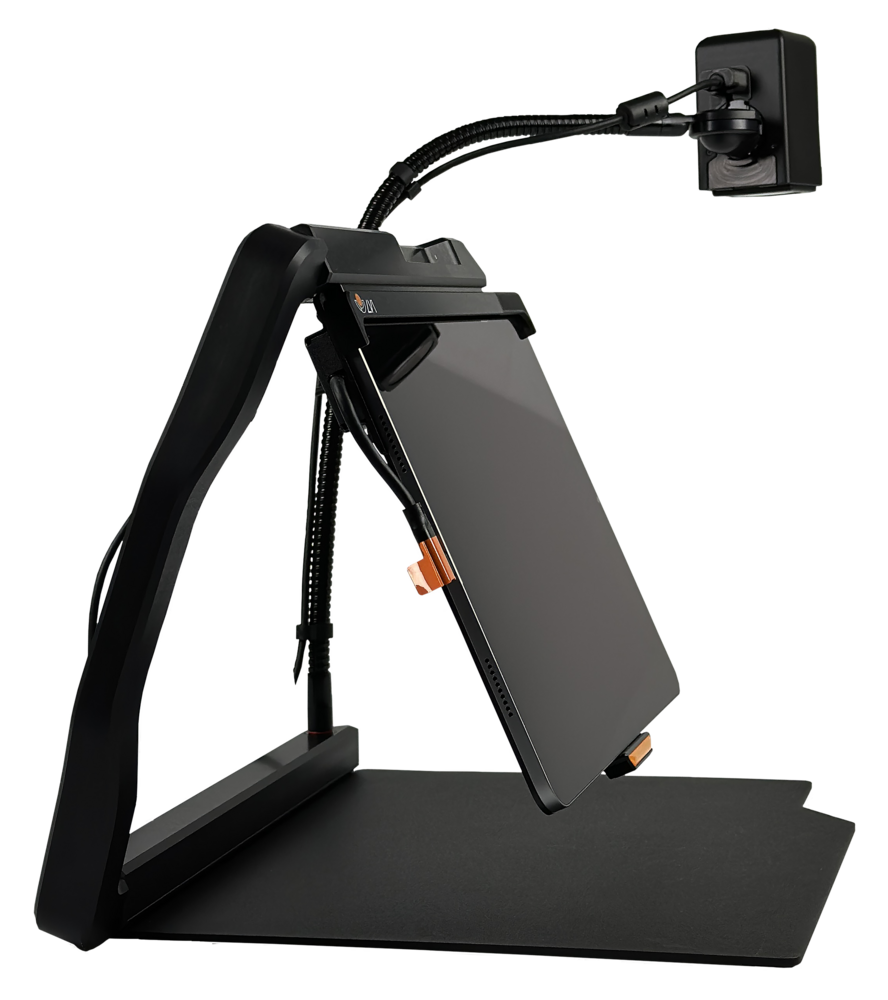
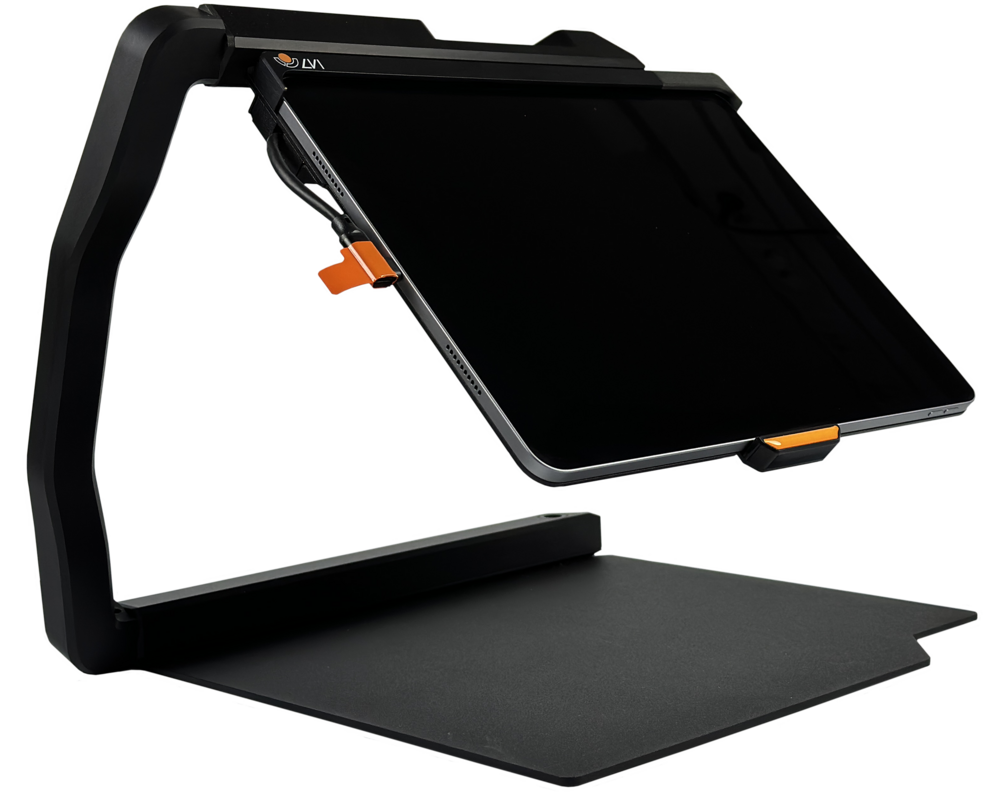
  1. Unfold the stand.
  2. Place the iPad in the stand (if it is not already).
  3. Put the distance camera in the hole (found on the right side of the bottom of the stand). Adjust the distance camera top, as needed. Turn it sideways and angle it down, so that there is a complete viewing area on the iPad screen.
  4. Plug the hub connection cable into the left-hand side of the iPad.
  5. Launch the MagniLink Viewer App (all 9 icons will appear on the bottom of the screen if the distance camera is connected and recognized).
  6. Lastly, plug in the power cable to charge the iPad into the right-hand side of the iTAB.

Troubleshooting:

Reset the Hub:

  1. Close the LVI MagniLink Viewer App. Make sure you close it and do not just minimize the App.
  2. Unplug all cords from the iPad.
  3. Turn off the iPad.
  4. Turn on the iPad (Do not open the LVI application yet).
  5. Plug all cords back into the iPad: Start by plugging the camera into the top of the hub. Use the top right USB-C plug. Then plug the hub in on the left side of the iPad.
  6. Open the LVI MagniLink Viewer App.
  7. Give the iPad 15-60 seconds to connect to the distance camera (if you do not see the 9 icons at the bottom on the screen). If that does not work, re-do steps 1-6, and completely shut down the iPad.

Directly plug in the iPad (Bypass the Hub):

  1. Close the LVI MagniLink Viewer App.
  2. Unplug all cords from the iPad.
  3. Turn off the iPad.
  4. Turn on the iPad. (Do not open the LVI application yet.)
  5. Plug the camera cable directly into the left side of the iPad.
  6. Open the LVI MagniLink Viewer App.
  7. Give the iPad 15-60 seconds to connect to the distance camera (you will know it worked if you see the 9 icons at the bottom of the screen).

Features

Seamless iPad Integration
Works directly with iPad Pro 11″ through a simple USB-C connection, no software installation required.

Auto-Focus HD Camera
Captures crisp images of text and objects for enhanced magnification and clarity in any environment.

Foldable and Lightweight Design
Engineered for portability, the MagniLink iTAB folds easily for storage and transport, perfect for travel or classroom transitions.

Text-to-Speech Functionality
Read printed text aloud instantly, improving comprehension and reducing eye strain for users with vision loss.

Adjustable Magnification and Viewing Modes
Users can switch between high-contrast, color, and grayscale views for maximum readability.

Ergonomic Setup for Comfort
Designed for use on a desk or table, offering an optimized angle for reading, writing, and scanning.

Durable Build for Daily Use
Made with high-quality materials to withstand frequent handling in school, work, or home environments.

Specifications

  • Camera Resolution: Full HD 1080p (1920×1080)

  • Camera Focus: Auto-focus with high precision

  • Magnification Range: Variable digital zoom (up to 20x)

  • Field of View: Wide-angle lens for large document coverage

  • Connection Interface: USB-C (direct to iPad Pro 11″)

  • Compatibility: iPad Pro 11″, 1st Gen and later with USB-C

  • Power Supply: Powered through iPad (no separate battery or charger)

  • Material Construction: Durable aluminum and ABS composite

  • Operating Temperature: 32°F – 95°F (0°C – 35°C)

Technical specifications

MagniLink iTAB

  • Weight: 6.6 lb
  • Dimensions folded: 14.4 x 11.8 x 3 In
  • Unfolded: 9 x 12.2 x 13.8 In

External camera

  • Magnification: 0.9-50x (height 13“, iPad Pro 12.9”)
  • Frame rate: 60 Hz
  • Length: Camera and arm: 24.4 In
  • Weight: 1.5 lb

Minimum System Requirements

  • iPad with a USB-C connector and M2-chip or newer
  • iPadOS 17.0 or later
  • However, we highly recommend using the most updated version of OS to bypass any bugs in previous versions:
    • iPad Pro with M2-chip or newer
    • iPadOS 18.5 or newer

Reviews

“This device changed how my son accesses textbooks at school.” – Jennifer R.
“As a college professor, I rely on the iTAB daily for grading and lectures.” – Mark L.
“The portability and ease of use make it perfect for travel.” – Linda S.
“It was easy to set up and works perfectly with my iPad Pro.” – Tim G.
“Finally, a device that makes reading mail and documents effortless.” – Sarah H.
“Speech output is clear and accurate, even with small print.” – Andrew B.
“My students love using the MagniLink iTAB for independent learning.” – Rebecca M.

What's in the box?

  • MagniLink iTAB device

  • High-quality padded carrying case

  • USB-C to USB-C connection cable

  • Quick Start User Guide

  • Full printed instruction manual

  • Microfiber cleaning cloth

  • Warranty and registration card

  • Cable management clip

  • Optional camera extension arm (in select packages)

Frequently Asked Questions

The MagniLink iTAB is compatible specifically with iPad Pro 11" models that feature a USB-C port. It does not support older models with Lightning connectors.
No, it does not require charging or an external power source. It draws power directly from the iPad Pro via the USB-C connection.
Yes, the iTAB offers text-to-speech functionality when paired with compatible iOS apps, making it easy to convert printed text into speech.
No additional software is needed. It works seamlessly through the iPad’s built-in accessibility features and plug-and-play functionality.
Absolutely. The MagniLink iTAB is lightweight, durable, and easy to transport, making it ideal for classrooms, offices, or remote work.
It folds into a compact form and fits neatly in the included carrying case, making it highly portable for students and professionals on the go.
Yes, the HD camera supports zoom and adjusts for lighting automatically to provide optimal viewing clarity in various environments.

What Our Customers Say

Hear from people whose lives have been transformed by New England Low Vision and Blindness.

stars

"Thank you so much for all your efforts and pics in providing mom with the CCTV. Your warm and gracious letter has given me and my two brothers Win & Scott great satisfaction and confidence that you have indeed made a happy woman out of Jane. I can’t tell you how much this will change her quality of life but I’m sure being in the business you’re in you have an idea. My best to you and your great company!"

placeholder-testimony
Peter R.

Consumer visiting with his mom

stars

"Working with NELVB has been a truly positive experience. I first connected with Scott over a decade ago to support one of my students, and his involvement made a lasting impact on both the student and their family. Since then, he’s continued to provide valuable support through demos and programs. It’s always been about what’s best for the kids, and that’s what matters most to me."

placeholder-testimony
Lynn

Teacher for the Visually Impaired"

stars

"Thank you again for an excellent visit yesterday. My dad and I appreciated the time you spent with us, your thorough explanations of the various options and of the Stella lamp. I could tell that he was extremely pleased at the thought of being able to once again manage his piles of papers. My hope is with that victory and order, he’ll feel empowered and ready to tackle some other matters in his life."

placeholder-testimony
Mary

Mary, Consumer from NH

Are You Ready to Unlock the Power of Assistive Technology?

Take the first step toward greater and confidence!

About New England Low Vision and Blindness

At New England Low Vision and Blindness, we bring hope through assistive technology, personalized training, and compassionate care. As a full-service provider, we offer a wide range of solutions for individuals who are blind, have low vision, or are hard of hearing, backed by experienced Technology Rehabilitation Trainers.

With access to nearly every major technology brand and custom training services, we help clients discover the best tools to meet their personal, educational, or professional goals.

Visit our showroom or schedule a no-obligation assessment at home, school, or work for a relaxed, 1-on-1 demonstration.

Easy Monthly Payments

Get the technology you need now and pay over time with Affirm. Simple monthly payments, no hidden fees—a smarter way to stay independent and enhance your life.

Delivery & Set-Up

Enjoy our Premium White Glove Service with Peace of Mind Warranty—your technology is hand-delivered, expertly set up, and thoroughly explained at your location.

Training & Tips

Get personalized training at your home, workplace, or school—right where you’ll be using the technology most. We help you build confidence in the environments that matter.