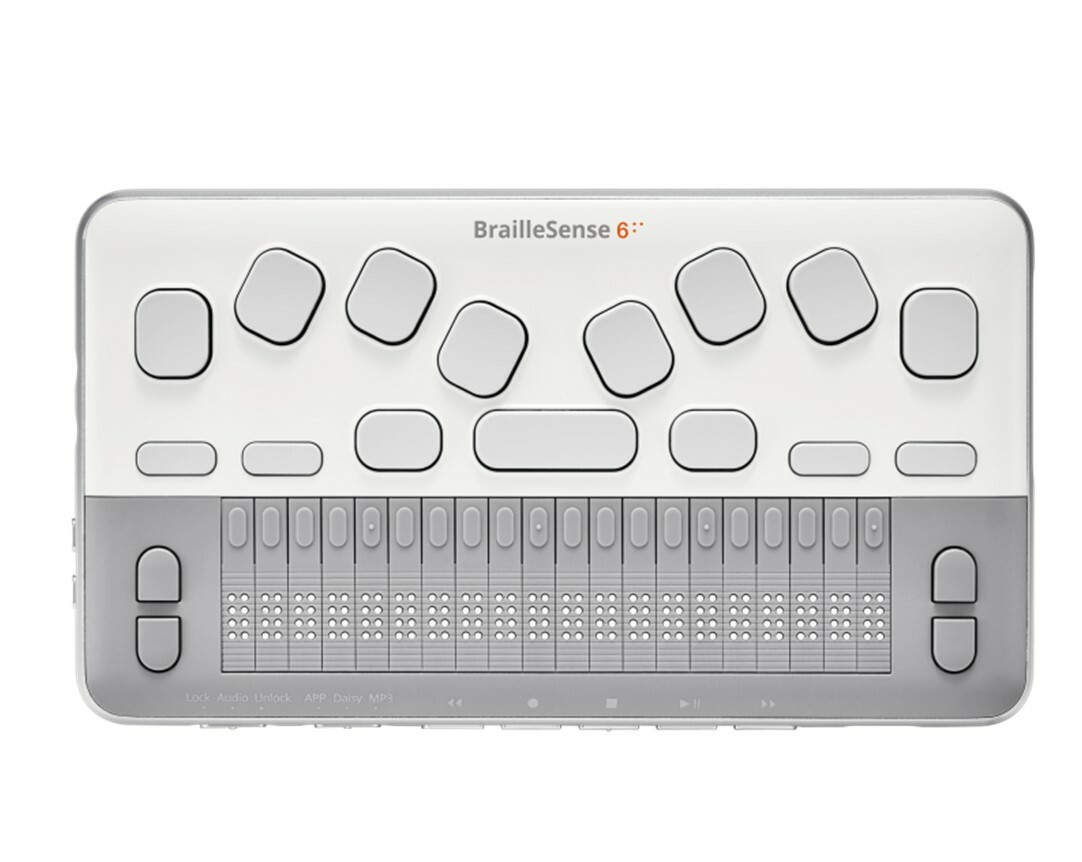
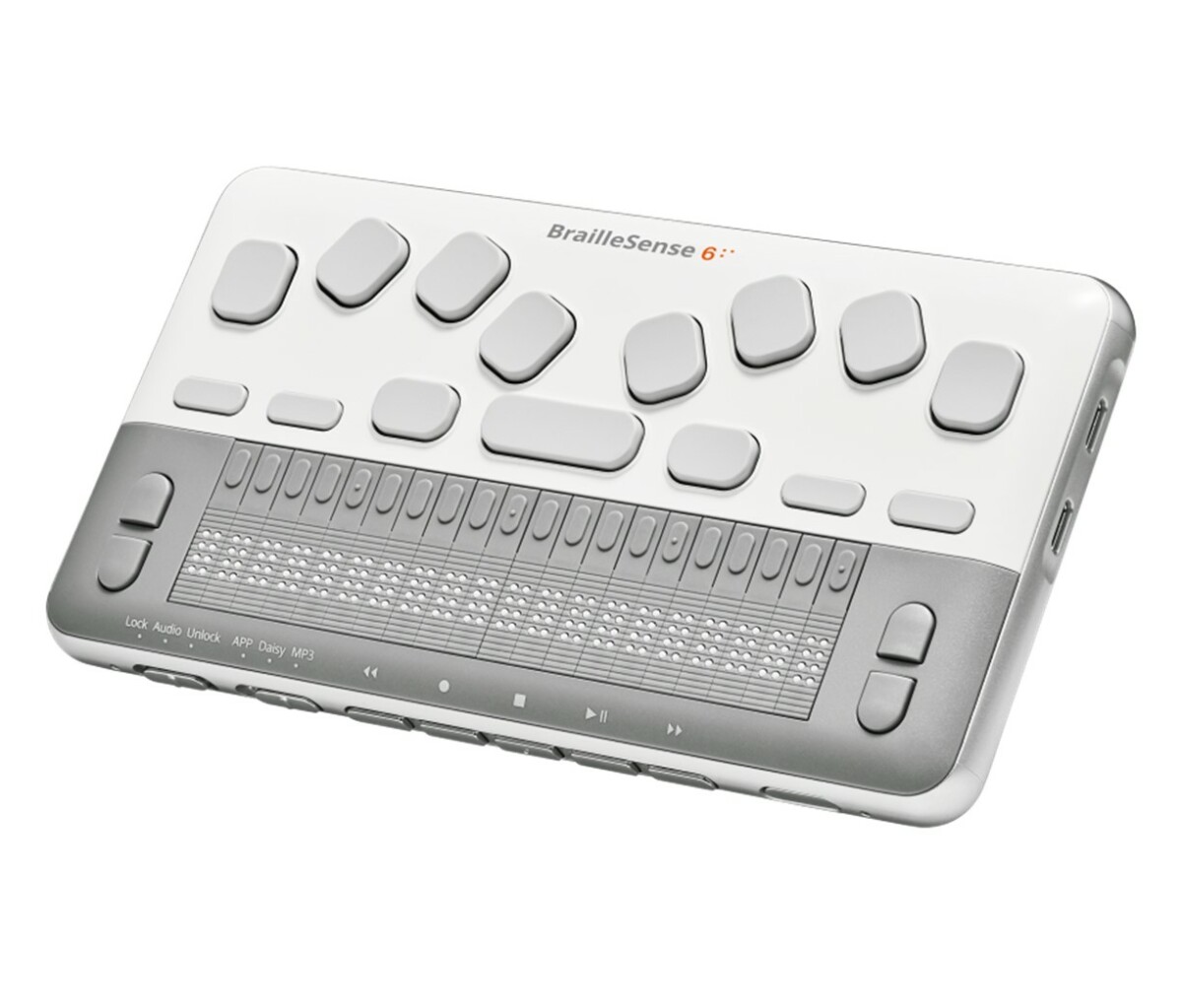
BrailleSense 6 Mini Notetaker

$3,995.00

-

View Brochure
View User Manual
Description

Introducing the BrailleSense 6 Mini – Lightweight Champion Notetaker

You don’t need to compromise power and performance for size. With the BrailleSense 6 mini, you can read books, write reports, complete assignments, send emails, share documents, and stay connected. The BrailleSense 6 Mini is built to go with you, where you need to go. Designed to be highly portable and powerful, it is the ultimate notetaker when you’re on the go.

Software at Light Speed

The BrailleSense mini includes our custom applications that make it a great choice at school, at work, and at home. Our braille-first approach means less frustration and easier use.

Small on Size, Big on Performance

  • 20-cell braille display and an 11-key Perkins-style keyboard
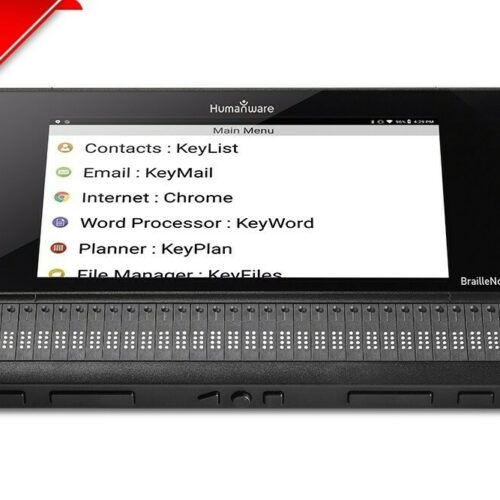
  • Direct access to Android applications – download apps from Google Play Store
  • Great for students – utilize Google Drive, Docs, Sheets, Slides and many more!
  • Extensive math tools for teachers and students
    • Input math equations directly into the word processor app – no need to switch between applications and no line limitations
    • Create & edit graphs using the Polaris Math graphing app, then export images into word processor app to share with sighted teachers or peers
    • Use the tactile preview mode in the graphing app to preview the graph tactilely
  • Powerful Organization Tools – access schedule manager, sync contacts, appointments and email using your google account
  • Designed to be upgradable for future versions of Android
  • Google certified

Portable Design

The BrailleSense 6 mini is built to go with you without compromise. A long lasting battery and streamline design makes for a perfect portable companion.

Braille First Applications

Write documents, send emails, download books, listen to podcasts, access Google Drive, and get things done with a full suite of applications built specifically for a braille notetaker. 

11-Key Perkins-Style Keyboard

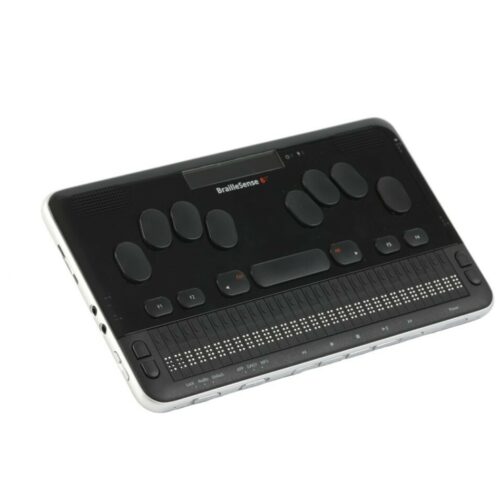
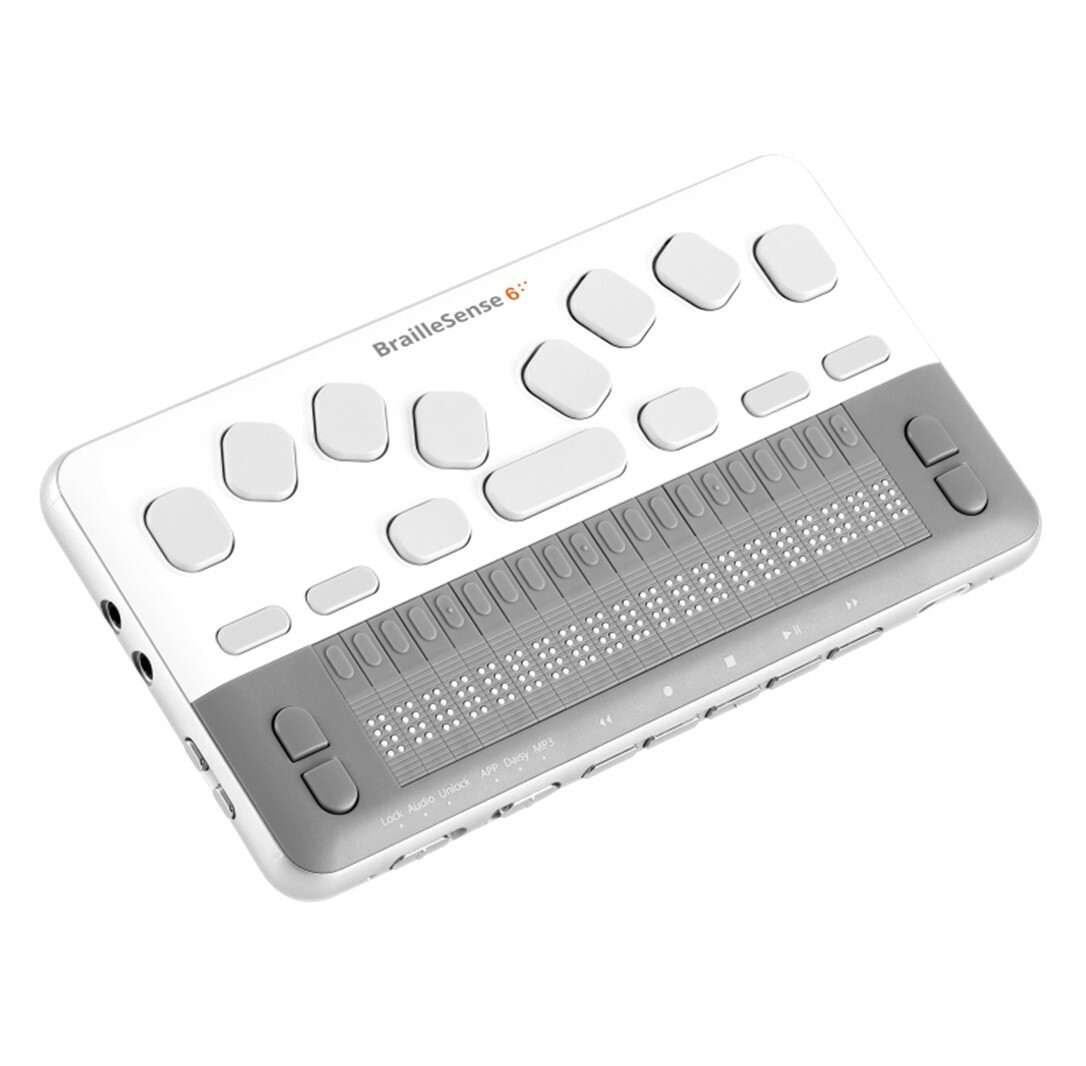
With a 20-cell Braille display and a 11-key Perkins-style keyboard with Ctrl and Alt Keys, BrailleSense 6 mini looks and feels like a traditional notetaker. However, its competitive modern hardware and connectivity, along with direct access to Android applications, ensure it stacks up solidly against modern off-the-shelf phones and tablets.

Updated Operating System

Keep your device compatible with applications and security longer with Android 10, the latest Android OS on any notetaker and a guaranteed future Android upgrade.

Mainstream Speed

Apps load instantly, multitasking is fast, presentations are seamless and large files load faster with an 8-core CPU, 6 GB RAM, and double the storage.

Learn More:

  • Android 12: The latest operating system in a braille notetaker
  • Octa-Core CPU: Increased performance for multitasking and meeting demands of powerful apps
  • 128 GB Storage: For keeping all of your files with you, no matter the size
  • 6 GB of Memory: For when you need to get things done fast without the lag
  • Share Visually with USB-C: Ditch the screen and share visually with a single cord, just as it should be
  • Ultimate Connectivity: Mix audio tracks, live stream video, and more with off-the-shelf peripherals

BrailleSense 6 Resources and Downloads

  • BrailleSense 6 without the latest V1.7 update needs offline installation. Running the latest V1.7 allows online upgrade. If uncertain, recommended to use offline installation.
  • BrailleSense 6 Latest Firmware: https://braillesense.s3.us-west-1.amazonaws.com/h632b/en12/H632B_system_57228.bin
  • BrailleSense 6 Firmware Installation Instructions: https://hims-inc.com/download/offline-braillesense-firmware-installation/?wpdmdl=8876&masterkey=M7VnOpQN88aoxt02J-GlGQFCTD82TmvtyRLOmkvjZuNMwg-czYT1ujrY0hZ4sYrUMfdwCmgHW9xPhSNcgMIhub8JzQXxcHsMn49-McxmfX8
  • BrailleSense 6 Release Notes: https://hims-inc.com/wp-content/uploads/2023/11/Release-Note-for-BrailleSense-6-V2.0.docx
  • BrailleSense 6 USB Driver: https://hims-inc.com/download/usb-driver/?wpdmdl=7589&masterkey=6129562eeb34b
  • Sense Bible App:
    • BrailleSense 6 Bible User Manual (.doc): https://hims-inc.com/download/braillesense-bible-user-manual-docx/?wpdmdl=7583&masterkey=612951abefecc
    • BrailleSense 6 Bible App Download: https://hims-inc.com/download/sense-bible-app-download/?wpdmdl=7940&masterkey=61940922e62a7
    • BrailleSense 6 Bible App Data: https://hims-inc.com/download/sensebible-app-data/?wpdmdl=7941&masterkey=6194095d1976b
  • BrailleSense 6 Training Videos: https://hims-inc.com/bs6-resources/overview-videos/
  • BrailleSense 6 Training Documents: https://hims-inc.com/bs6-resources/training-documents/

Latest BrailleSense 6 Software Updates: July 1, 2026

SELVAS has announced several new apps and software updates for the BrailleSense 6 and BrailleSense 6 mini. These updates are available through the optional Add-Ons menu and provide new ways to access entertainment, discover Android applications, and enjoy accessible word games.

New Web TV App

The new Web TV app is installed in the Media menu, below Web Radio. It provides an interface similar to the Web Radio app, giving users access to freely available online television stations.

The app uses an actively maintained open-source database. Because online stations can change or temporarily stop working, users are encouraged to update the database regularly. Stations that become unavailable may return to the database after a few days.

New Play Store Search Add-On

The new Play Store Search add-on is installed in the Android Apps menu, below the Play Store. It provides a BrailleSense-style interface for searching for applications available through the Google Play Store.

Users can search by keyword or browse by category. Search results provide additional information about each application, and pressing Enter on a selected application opens its page in the Play Store for installation.

The add-on is designed to simplify application discovery, allowing users to perform most searches without navigating directly through the Play Store interface. First-letter navigation can also be used to quickly locate the Install button when needed.

New Words With HIMS Add-On

Words With HIMS is a new word game that features words of different lengths and a variety of clues. It is installed in the Extras menu.

Users can explore the available controls and information using Tab and Shift-Tab. In addition to the included words and clues, players can add their own words and customize several game options.

Additional Software Updates

The Web Browser V2 add-on has also been updated to address several reported issues. Other add-ons have received updates to improve Braille translation and provide additional refinements, although these updates do not add new features or functions.

Important Windows USB Driver Notice

SELVAS has reported an important compatibility issue affecting the legacy USB Braille display drivers used with certain older devices following a recent Windows update. The outdated security certificates associated with these drivers have caused the drivers to be disabled.

This issue affects the BrailleSense 6 product line, QBraille, and other older Braille displays that rely on these legacy USB drivers.

SELVAS is working with Microsoft to address the issue and develop a fix. In the meantime, affected devices can still be used with Windows through Bluetooth. The eMotion and newer BrailleSense 7 are not affected by this issue because they do not rely on these legacy USB drivers.

SELVAS recognizes the impact this issue may have on users and is working to resolve it as soon as possible. Users should check for the latest software and driver updates as they become available.


Helpful Resources

Features

Specifications

Reviews

What's in the box?

Frequently Asked Questions

New add-ons are available for the BrailleSense 6 and BrailleSense 6 mini, including Web TV, Play Store Search, and Words With HIMS. These add-ons can be downloaded through the optional Add-Ons menu. The Web Browser V2 add-on has also been updated, and other add-ons have received refinements to Braille translation.
A recent Windows update has affected legacy USB Braille display drivers used by the BrailleSense 6 and certain other older Braille displays. SELVAS is working with Microsoft to address the issue. In the meantime, affected BrailleSense 6 devices can still be used with Windows through Bluetooth.
No. The issue affects the BrailleSense 6 line and other older Braille displays that rely on the affected legacy USB drivers. The newer BrailleSense 7 and eMotion are not affected because they do not use these drivers.

What Our Customers Say

Hear from people whose lives have been transformed by New England Low Vision and Blindness.

stars

"Thank you so much for all your efforts and pics in providing mom with the CCTV. Your warm and gracious letter has given me and my two brothers Win & Scott great satisfaction and confidence that you have indeed made a happy woman out of Jane. I can’t tell you how much this will change her quality of life but I’m sure being in the business you’re in you have an idea. My best to you and your great company!"

placeholder-testimony
Peter R.

Consumer visiting with his mom

stars

"Working with NELVB has been a truly positive experience. I first connected with Scott over a decade ago to support one of my students, and his involvement made a lasting impact on both the student and their family. Since then, he’s continued to provide valuable support through demos and programs. It’s always been about what’s best for the kids, and that’s what matters most to me."

placeholder-testimony
Lynn

Teacher for the Visually Impaired"

stars

"Thank you again for an excellent visit yesterday. My dad and I appreciated the time you spent with us, your thorough explanations of the various options and of the Stella lamp. I could tell that he was extremely pleased at the thought of being able to once again manage his piles of papers. My hope is with that victory and order, he’ll feel empowered and ready to tackle some other matters in his life."

placeholder-testimony
Mary

Mary, Consumer from NH

Are You Ready to Unlock the Power of Assistive Technology?

Take the first step toward greater and confidence!
About New England Low Vision and Blindness

At New England Low Vision and Blindness, we bring hope through assistive technology, personalized training, and compassionate care. As a full-service provider, we offer a wide range of solutions for individuals who are blind, have low vision, or are hard of hearing, backed by experienced Technology Rehabilitation Trainers.

With access to nearly every major technology brand and custom training services, we help clients discover the best tools to meet their personal, educational, or professional goals.

Visit our showroom or schedule a no-obligation assessment at home, school, or work for a relaxed, 1-on-1 demonstration.

Easy Monthly Payments

Get the technology you need now and pay over time with Affirm. Simple monthly payments, no hidden fees—a smarter way to stay independent and enhance your life.

Delivery & Set-Up

Enjoy our Premium White Glove Service with Peace of Mind Warranty—your technology is hand-delivered, expertly set up, and thoroughly explained at your location.

Training & Tips

Get personalized training at your home, workplace, or school—right where you’ll be using the technology most. We help you build confidence in the environments that matter.