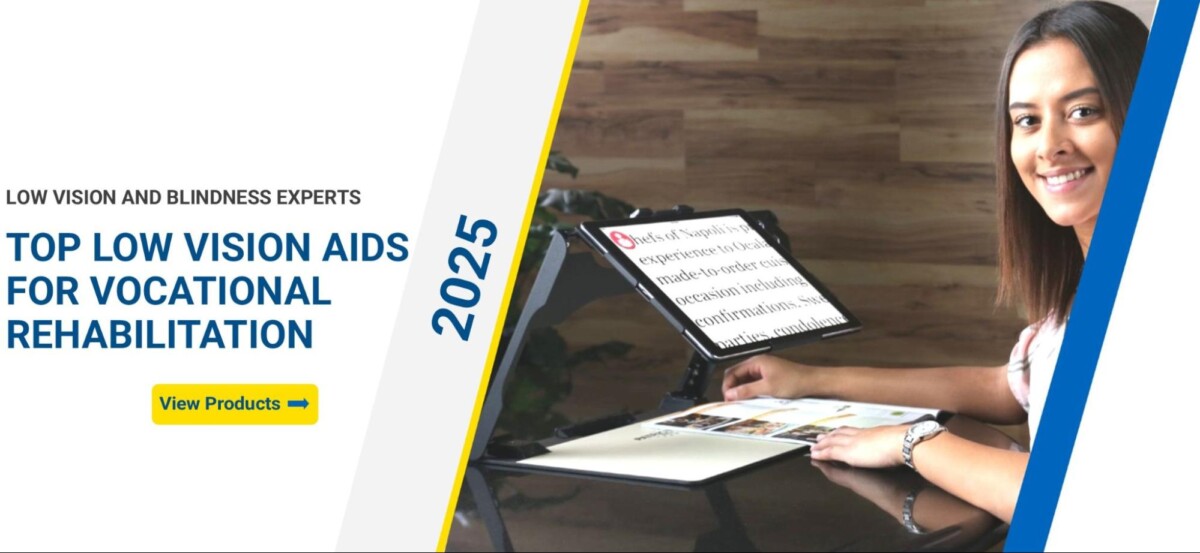
Vocational Training and Career Options for People with Low Vision: Building Successful Professional Pathways

People with low vision possess the same career aspirations and professional capabilities as their sighted counterparts, requiring only appropriate training and workplace accommodations to succeed. Vocational training and career options for people with low vision encompass comprehensive rehabilitation services, adaptive technology instruction, and skills development programs that prepare individuals for meaningful employment across all industries. The path to professional success begins with understanding available resources and building confidence through structured learning experiences.
Modern vocational rehabilitation programs focus on individual strengths and interests rather than limitations. These services include adaptive technology training, workplace readiness skills, and career exploration opportunities tailored to each person’s goals. Support systems connect job seekers with employers who value diverse talent and inclusive practices.
Career possibilities span every sector from healthcare and education to technology and finance. Success depends on accessing proper training, mastering assistive tools, and developing self-advocacy skills that demonstrate professional competence to potential employers.
Key Takeaways
- Vocational training programs provide adaptive technology skills and workplace readiness preparation for successful employment outcomes
- Career opportunities exist across all industries with proper accommodations and assistive technology support
- Rehabilitation services focus on individual strengths and interests to match people with meaningful career paths
Abstract • Visual impairment encompasses a spectrum from low vision to legal blindness, each requiring different vocational considerations • Career planning must account for specific visual disabilities and their functional impacts on workplace tasks • The Americans with Disabilities Act provides essential employment protections and accommodation rights • Understanding vision loss terminology helps navigate rehabilitation services and workplace discussions • Legal frameworks ensure equal employment opportunities through reasonable accommodations
Foundations of Vocational Training for People With Low Vision
Successful vocational training begins with understanding the spectrum of visual impairment and the legal protections that support career development. These foundational elements shape how we approach career planning and workplace preparation.
Understanding Visual Impairment and Low Vision
Low vision refers to significant visual impairment that cannot be corrected with standard glasses, contact lenses, or medical treatment. This condition allows some functional vision to remain.
Legal blindness occurs when visual acuity measures 20/200 or worse in the better eye with correction. Alternatively, it includes visual field restriction to 20 degrees or less.
The term visually impaired encompasses the entire spectrum from mild vision loss to total blindness. Each level presents unique challenges and opportunities in vocational settings.
Vision impairment affects approximately 12 million Americans over age 40. Understanding your specific type helps identify appropriate accommodations and career paths.
| Vision Category | Visual Acuity | Functional Impact |
| Low Vision | 20/70 to 20/200 | Requires magnification, lighting adjustments |
| Legal Blindness | 20/200 or worse | May use screen readers, tactile methods |
| Total Blindness | No light perception | Relies on audio, tactile, assistive technology |
Types of Visual Disabilities and Their Impact on Career Planning
Different visual disabilities create distinct workplace considerations. Macular degeneration affects central vision, making detailed tasks challenging but preserving peripheral awareness.
Diabetic retinopathy can cause fluctuating vision throughout the day. This variability requires flexible workplace accommodations and career choices that adapt to changing visual function.
Glaucoma primarily impacts peripheral vision while maintaining central acuity. Individuals may excel in detail-oriented work but need mobility support in unfamiliar environments.
Career Planning Checklist:
- Identify specific visual strengths and limitations
- Research job tasks that align with functional vision
- Consider work environments with optimal lighting
- Evaluate technology requirements for different roles
- Assess transportation needs for various locations
The Role of Legal Protections in Employment
The Americans with Disabilities Act (ADA) prohibits employment discrimination based on disability. This federal law requires employers to provide reasonable accommodations for qualified individuals.
The Equal Employment Opportunity Commission (EEOC) enforces ADA compliance and investigates discrimination complaints. They provide guidance on accommodation requests and dispute resolution.
Reasonable accommodations might include screen reading software, magnification devices, or modified work schedules. Employers cannot refuse accommodation unless it creates undue hardship.
Key Legal Protections:
- Equal consideration in hiring processes
- Right to reasonable workplace accommodations
- Protection from disability-based discrimination
- Confidentiality of medical information
- Access to employer-provided training programs
Glossary
Americans with Disabilities Act (ADA): Federal law prohibiting discrimination based on disability and requiring reasonable accommodations
Assistive Technology: Devices and software that help people with disabilities perform tasks
Legal Blindness: Visual acuity of 20/200 or worse, or visual field of 20 degrees or less
Low Vision: Significant visual impairment that cannot be corrected but retains some functional vision
Reasonable Accommodation: Workplace modifications that enable qualified individuals to perform job functions
Screen Reader: Software that converts text to speech or braille for computer users
Visual Acuity: Sharpness of vision, typically measured using eye charts
Visual Disability: Any condition that significantly impairs vision and affects daily activities
Visual Field: The area visible when looking straight ahead without moving the eyes
Visual Impairment: Any degree of vision loss that affects daily functioning
Vocational Rehabilitation: Services helping people with disabilities prepare for and maintain employment
Workplace Accommodation: Modifications to job duties, equipment, or environment enabling job performance
Troubleshooting Matrix
| Issue | Cause | Solution | Resources Needed |
| Unclear accommodation rights | Limited ADA knowledge | Review EEOC guidelines | Legal resources, advocacy groups |
| Difficulty describing vision needs | Unfamiliar with terminology | Use specific medical terms | Eye care records, functional assessments |
| Employer resistance to accommodations | Lack of understanding | Provide education materials | ADA documentation, cost estimates |
| Unsuitable career recommendations | Incomplete assessment | Request comprehensive evaluation | Vocational rehabilitation counselor |
| Technology gaps in workplace | Outdated equipment | Propose specific solutions | Assistive technology specialist |
Vocational Rehabilitation and Skills Development Pathways
Vocational rehabilitation agencies provide comprehensive services including career assessment, skills training, work experience opportunities, and ongoing employment support to help individuals with low vision achieve their professional goals. These pathways combine systematic evaluation with practical training experiences to build both technical competencies and workplace confidence.
Overview of Vocational Rehabilitation Services
Vocational rehabilitation agencies deliver specialized programs designed for individuals with visual impairments seeking employment or career advancement. These services address functional, psychological, and developmental barriers to meaningful work.
Core VR Services Include:
- Eligibility assessment and individualized planning
- Career counseling and guidance
- Skills training and education funding
- Job placement assistance
- Assistive technology evaluation and training
- Follow-up support for job retention
VR programs adopt a holistic approach that considers each person’s interests, abilities, and career aspirations. We work closely with vocational rehab agencies to ensure our assistive technology training aligns with employment goals.
The process begins with comprehensive intake and continues through successful job placement. Many agencies partner with organizations like the Hadley Institute for the Blind and Visually Impaired to provide specialized training resources.
| Service Type | Duration | Key Focus Areas |
| Assessment | 2-4 weeks | Skills, interests, barriers |
| Training | 3-12 months | Technical skills, workplace readiness |
| Job Search | 1-6 months | Applications, interviews, networking |
| Follow-up | 90 days+ | Retention, advancement |
Career Exploration and Assessment Tools
Career exploration helps individuals identify suitable employment paths based on their strengths, interests, and accommodation needs. Assessment tools evaluate both technical abilities and workplace readiness skills.
Key Assessment Components:
- Interest inventories and aptitude testing
- Functional capacity evaluations
- Technology skills assessments
- Workplace accommodation needs analysis
Job shadowing opportunities allow direct observation of various careers in action. These experiences provide realistic previews of job demands and work environments before making training commitments.
Many VR agencies use standardized assessment batteries combined with practical evaluations. We provide assistive technology assessments that identify optimal tools for specific career paths.
Exploration Activities Matrix:
| Activity Type | Time Investment | Primary Benefits |
| Job Shadowing | 1-3 days | Real workplace exposure |
| Informational Interviews | 30-60 minutes | Industry insights |
| Career Fairs | 2-4 hours | Multiple employer contact |
| Online Assessments | 1-3 hours | Skills/interest matching |
The assessment phase typically takes 30-60 days and results in a detailed vocational plan outlining training needs and career targets.
Skill-Building and Work Experience Opportunities
Work experience programs provide hands-on training in real or simulated workplace environments. These opportunities build both technical competencies and professional confidence through structured practice.
Experience Options Include:
- Internships with local employers
- Volunteer work in relevant fields
- Apprenticeships and mentorship programs
- Simulated workplace training centers
Internships typically last 8-16 weeks and may lead to permanent employment. Participants receive supervision and feedback while contributing meaningful work to host organizations.
Volunteer work offers flexible scheduling and diverse exposure opportunities. Many individuals use volunteering to explore new fields or maintain skills during job searches.
Training programs emphasize both technical skills and workplace behaviors. We provide specialized training on assistive technology integration within professional environments.
Skills Development Checklist:
- ✓ Technical competencies specific to chosen field
- ✓ Communication skills including phone and email etiquette
- ✓ Time management and organizational abilities
- ✓ Problem-solving and adaptive strategies
- ✓ Assistive technology proficiency
- ✓ Professional networking capabilities
Most skill-building programs combine classroom instruction with practical application over 12-24 weeks.
Supported Employment and Job Retention
Supported employment provides ongoing assistance to help individuals maintain successful employment long-term. This includes job coaching, workplace accommodations, and career advancement support.
Support Services Include:
- Job coaching during initial employment period
- Accommodation negotiations with employers
- Assistive technology setup and training
- Performance feedback and improvement strategies
- Career advancement planning
Job retention services continue for 90 days minimum after placement, with extended support available as needed. We provide ongoing assistive technology support to ensure optimal workplace performance.
Job coaches work directly with employees and supervisors to address challenges and optimize work processes. This intensive support typically decreases over time as independence increases.
Retention Support Timeline:
| Phase | Duration | Support Level | Key Activities |
| Initial | Weeks 1-4 | Daily contact | Setup, orientation, coaching |
| Adjustment | Weeks 5-12 | 2-3x weekly | Problem-solving, refinement |
| Stabilization | Months 3-6 | Weekly check-ins | Maintenance, advancement |
| Long-term | 6+ months | As-needed | Crisis support, career growth |
Successful job retention depends on matching individual strengths with appropriate positions and providing adequate ongoing support systems.
Career Options and Emerging Job Opportunities
People with low vision can pursue careers across virtually every industry, from technology and healthcare to education and customer service. Modern workplaces increasingly offer remote opportunities and assistive technology integration that expand professional possibilities.
Industries and Roles Accessible to People With Low Vision
Technology Sector Software development, data analysis, and cybersecurity roles rely heavily on screen readers and magnification software. Companies actively recruit through programs like the Workforce Recruitment Program.
Healthcare and Social Services Medical coding, counseling, and patient advocacy positions utilize strong listening skills and attention to detail. Many roles require minimal visual demands while offering meaningful career paths.
Education and Training Teaching, curriculum development, and corporate training leverage communication strengths. Assistive technology specialists help implement workplace accommodations.
Financial Services Banking, accounting, and financial planning roles adapt well to screen reading technology. Customer service representatives in financial institutions represent a growing employment sector.
Government Positions USAJobs regularly posts accessible federal positions. State and local government roles often provide excellent accommodation support and career advancement opportunities.
Popular Careers: Customer Service Representatives, Motivational Speakers, and More
Customer Service Representative This role focuses on phone-based support, making visual requirements minimal. Companies provide screen reading software and accessible customer management systems.
Call centers actively recruit through disability-focused programs. Remote work options expand geographic employment possibilities significantly.
Motivational Speaker Personal experience with vision challenges creates authentic speaking opportunities. Corporate diversity training and educational institutions seek experienced presenters.
Professional development includes presentation skills training and networking through disability advocacy organizations.
Administrative Roles Data entry, scheduling, and office management adapt well to assistive technology. Document management systems integrate with screen readers effectively.
Massage Therapy This hands-on profession relies on touch rather than sight. State licensing programs provide specialized training for people with visual impairments.
Navigating Job Search and Application Processes
Specialized Job Boards ACB Job Connection connects candidates with disability-friendly employers. National Industries for the Blind careers portal lists manufacturing and service positions.
CareerConnect provides accessible job search tools and application assistance. Recruit Disability specializes in matching qualified candidates with inclusive employers.
Application Strategy Checklist
- Research company disability inclusion policies
- Prepare accommodation requests before interviews
- Practice discussing assistive technology needs
- Develop portfolio showcasing relevant skills
- Network through professional disability organizations
Interview Preparation Request phone or video interviews when visual cues matter less. Prepare specific examples of successful accommodation use in previous roles.
Bring documentation of assistive technology proficiency. Practice explaining how accommodations enhance rather than limit job performance.
Internships, Job Boards, and Recruitment Programs
Workforce Recruitment Program This federal initiative connects students and recent graduates with government positions. Applications open annually through participating universities and organizations.
Program participants receive mentorship and career development support throughout the application process.
National Industries for the Blind Manufacturing, customer service, and administrative roles available across multiple locations. Training programs prepare candidates for specific industry requirements.
Career advancement opportunities include supervisory and management positions within the organization.
Corporate Internship Programs Technology companies increasingly offer accessible internship experiences. Financial services firms provide structured programs with accommodation support.
Healthcare organizations seek diverse candidates for administrative and clinical support roles.
Professional Development Resources CareerswithVision provides industry-specific guidance and networking opportunities. American Foundation for the Blind offers career coaching and job placement assistance.
State vocational rehabilitation programs fund training and provide job placement support services.
Assistive Technology and Inclusive Workplace Practices
Abstract • Modern workplaces require digital skills for 92% of jobs, making assistive technology essential for employees with low vision • Adaptive technologies including screen readers, magnification software, and braille displays enable full workplace participation • Reasonable accommodations bridge gaps between standard workplace tools and individual accessibility needs • Comprehensive training programs benefit both employees with low vision and their employers • Successful implementation requires ongoing support from assistive technology specialists
Assistive technology and inclusive workplace practices create pathways for meaningful employment by removing barriers and enhancing productivity. These tools and accommodations transform standard work environments into accessible spaces where employees with low vision can thrive.
Adaptive and Assistive Technologies for the Workplace
Adaptive technology encompasses software and hardware modifications that make standard workplace tools accessible to employees with low vision. Screen magnification software enlarges text and graphics up to 16x magnification while maintaining image clarity.
Voice recognition software allows employees to control computers through spoken commands. This technology reduces eye strain and increases typing speed for many users with low vision.
Essential Workplace Adaptive Technologies:
- Screen magnification software (ZoomText, MAGic)
- High-contrast color schemes and themes
- Adjustable font sizes across all applications
- Voice recognition programs (Dragon NaturallySpeaking)
- Ergonomic lighting solutions and task lamps
Large-print keyboards with high-contrast keys improve typing accuracy and speed. These keyboards feature bold, enlarged characters that remain visible under various lighting conditions.
Video magnifiers, also called CCTVs, provide up to 75x magnification for reading printed materials. Desktop and portable models accommodate different workplace layouts and job requirements.
Braille, Screen Readers, and Accessible Tools
Screen readers convert digital text into synthesized speech or braille output, enabling access to computers, smartphones, and web-based applications. JAWS (Job Access With Speech) and NVDA serve as primary screen reading solutions for Windows environments.
Braille displays connect to computers via USB or Bluetooth, providing tactile access to screen content. These devices range from 12 to 80 braille cells, accommodating different reading preferences and job demands.
Core Accessible Tool Categories:
| Tool Type | Function | Common Applications |
| Screen Readers | Text-to-speech conversion | Email, documents, web browsing |
| Braille Displays | Tactile text access | Programming, detailed editing |
| OCR Software | Scanned text recognition | Document digitization |
| Mobile Apps | Smartphone accessibility | Navigation, identification |
Optical Character Recognition (OCR) software converts scanned documents and images into editable text. This technology enables access to printed materials that colleagues share digitally.
Smartphone applications like Be My Eyes and Seeing AI provide real-time assistance for workplace tasks. These apps identify objects, read text, and describe surroundings through artificial intelligence.
Implementing Reasonable Accommodations in Employment
Reasonable accommodations are workplace modifications that enable employees with disabilities to perform essential job functions. These accommodations must be effective, appropriate, and not cause undue hardship to employers.
Job accommodations for employees with low vision typically cost less than $500 according to the Job Accommodation Network. Many accommodations require no financial investment, involving only policy or procedural changes.
Common Workplace Accommodations Checklist:
- Adjustable monitor positioning and screen settings
- Flexible work schedules for medical appointments
- Modified lighting at workstations
- Alternative format materials (large print, digital)
- Accessible parking spaces
- Ergonomic workstation setup
Environmental modifications include improving lighting conditions and reducing glare from windows or overhead fixtures. Desk placement near natural light sources or away from high-traffic areas enhances concentration and comfort.
Technology accommodations involve providing or modifying equipment to ensure accessibility. This includes installing screen reading software, purchasing magnification tools, or upgrading to accessible versions of existing programs.
Schedule flexibility allows time for assistive technology training and adjustment periods when learning new systems. This accommodation recognizes that mastering adaptive technologies requires dedicated practice time.
Training and Support for Employees and Employers
Technology training forms the foundation of successful workplace integration for employees with low vision. Assistive technology specialists provide comprehensive instruction on screen readers, magnification software, and adaptive tools specific to job requirements.
Employer education reduces misconceptions about disability and workplace accommodations. Training sessions demonstrate how assistive technology works and address concerns about productivity or safety.
Training Program Components:
- Initial technology assessment and selection
- Hands-on instruction with job-specific applications
- Troubleshooting and problem-solving techniques
- Ongoing support and software updates
- Workplace integration strategies
We provide customized training programs that align with individual career goals and employer expectations. Our assistive technology specialists work directly with employees and their supervisors to ensure smooth transitions.
Peer mentoring programs connect new employees with experienced workers who use similar adaptive technologies. These relationships provide practical advice and emotional support during the adjustment period.
Follow-up training addresses software updates, new workplace systems, and evolving job responsibilities. Regular check-ins ensure that accommodations remain effective as positions and technologies change.
Glossary
- Assistive Technology: Equipment and software that helps people with disabilities perform tasks
- Adaptive Technology: Modified or specially designed technology for accessibility
- Screen Reader: Software that converts text to speech or braille
- OCR Software: Programs that convert images of text into editable digital text
- Braille Display: Device showing braille characters through raised pins
- Magnification Software: Programs that enlarge screen content
- Reasonable Accommodation: Workplace modification enabling job performance
- Job Accommodation: Specific workplace change for an individual employee
- Voice Recognition: Software that converts speech to text or commands
- High-Contrast Display: Visual settings that enhance text visibility
- CCTV/Video Magnifier: Device that magnifies printed materials on a screen
- Ergonomic Lighting: Adjustable lighting designed to reduce eye strain
Troubleshooting Matrix
| Issue | Possible Cause | Solution |
| Screen reader not responding | Software conflict | Restart application, check compatibility |
| Magnification too slow | High resolution settings | Adjust magnification level, upgrade hardware |
| Braille display not connecting | Bluetooth/USB issue | Check connections, reinstall drivers |
| OCR results inaccurate | Poor image quality | Improve scanning resolution, adjust lighting |
| Voice recognition errors | Background noise | Use headset microphone, quiet environment |
| Eye strain increasing | Poor lighting setup | Adjust monitor position, add task |
Frequently Asked Questions
Vocational rehabilitation services provide comprehensive evaluations, skills training, and career counseling to help individuals with low vision enter the workforce. Government programs offer tuition assistance and workplace readiness training, while orientation and mobility services enhance independence in professional environments.
What types of vocational programs are available for individuals with low vision?
We work with various vocational rehabilitation programs that offer comprehensive services tailored to individual needs. These programs typically begin with thorough assessments to identify strengths, skills, and career goals.
Most programs provide career exploration, counseling, and vocational guidance. They also offer work-based learning experiences during summer and after-school periods.
Workplace readiness training forms a core component of these programs. Participants learn self-advocacy skills and receive instruction on adaptive equipment use.
Many programs collaborate with state divisions of vocational rehabilitation. They provide tuition assistance for college planning and post-secondary education.
Are there specific job sectors that are particularly accommodating to employees with visual impairments?
Individuals with low vision work across all employment sectors without restriction. Marketing, human services, business management, health science, law, and agriculture represent just a few examples.
No separate job categories exist specifically for people with visual impairments. The truth is that almost any career path remains accessible with proper training and accommodations.
Technology-based roles often provide natural accommodation opportunities. Administrative positions, counseling services, and customer service roles also demonstrate high compatibility.
Government agencies frequently maintain strong accommodation policies. Educational institutions and healthcare organizations typically offer supportive work environments.
How can someone with low vision access vocational training courses online?
Online vocational training requires screen-reading software and magnification tools. We help individuals select and master the appropriate assistive technology for their specific needs.
Most online learning platforms support accessibility features. These include screen reader compatibility, keyboard navigation, and adjustable text sizing options.
Video content should include audio descriptions and transcripts. We train individuals to request these accommodations from course providers when necessary.
Practice sessions with assistive technology improve online learning success. Regular training updates ensure compatibility with new platforms and software versions.
What government incentives or programs exist to support employment for the visually impaired?
State divisions of vocational rehabilitation provide primary employment support services. These programs offer counseling, training funding, and job placement assistance at no cost to participants.
The Workforce Innovation and Opportunity Act funds many vocational programs. This legislation prioritizes services for individuals with significant disabilities including vision loss.
Tax incentives encourage employers to hire individuals with disabilities. The Work Opportunity Tax Credit provides financial benefits to qualifying businesses.
Social Security work incentive programs allow benefit recipients to maintain income support while working. These programs reduce financial barriers to employment entry.
Can people with low vision receive orientation and mobility training, and how does it help in their career development?
Orientation and mobility training teaches safe, independent travel skills. These skills prove essential for commuting to work and navigating workplace environments confidently.
Training covers public transportation use and pedestrian safety techniques. Participants learn to travel efficiently between meetings and work locations.
Workplace-specific mobility instruction addresses unique environmental challenges. This includes elevator use, stairway navigation, and emergency evacuation procedures.
Independent travel skills directly impact employment opportunities. Employers value workers who can reliably commute and move independently throughout work facilities.
What are the successful strategies for visually impaired individuals seeking employment in competitive fields?
Strong technical skills and assistive technology proficiency create competitive advantages. We provide comprehensive training on workplace software and accessibility tools.
Professional networking through disability-focused organizations opens career opportunities. Industry associations often maintain diversity and inclusion initiatives.
Clear communication about accommodation needs during interviews demonstrates professionalism. Employers appreciate candidates who can articulate their requirements confidently.
Highlighting transferable skills and relevant experience remains crucial. Work samples and portfolio presentations showcase capabilities effectively to potential employers.
You’re Not Alone — We’re Here to Help Your Family Take the Next Step
Our caring specialists at New England Low Vision and Blindness are here to help you and your family take the next steps with confidence. Schedule a Free Consultation or Contact Us today to learn how early intervention and the right assistive technology can empower your child to thrive.