Best Reading Aids for Macular Degeneration
Title Tag: Best Reading Aids for Macular Degeneration (44 chars)
Meta Description: Find the best reading aids for macular degeneration. Compare magnifiers, electronic readers, text-to-speech devices, and free smartphone tools for AMD. (153 chars)
URL Slug: /reading-aids-macular-degeneration/
Target Keyword: reading aids macular degeneration
Word Count Target: 1,600-1,900
When the words on a page start to fade, blur, or disappear into a gray smudge in the center of your view, the loss feels personal. Reading is often the first activity affected by macular degeneration, and for many people, it is also the activity that mattered most. The morning paper, a grandchild’s letter, a favorite novel, the dosage on a prescription bottle. Losing the ability to read print can feel like losing a piece of yourself.
Here is the truth that does not always reach you in the eye doctor’s office: people with macular degeneration can still read. The how and the what change, but reading does not have to end. Today’s reading aids range from simple handheld magnifiers to electronic devices that read text aloud, and even the smartphone in your pocket has powerful built-in tools that cost nothing extra. This guide walks through the full landscape so you can match a solution to your vision, your budget, and the kind of reading you love. For the broader picture of devices and services that support life with AMD, see our complete macular degeneration low vision aids guide.
Why AMD Makes Reading Difficult
Age-related macular degeneration affects the macula, the small central part of the retina responsible for sharp, detailed vision. Reading lives in that exact spot. When the macula is damaged, you develop a central scotoma, a blind or distorted area right where you would normally focus on a word. Letters can look broken, missing, or warped, and lines of text begin to run together.
Contrast sensitivity also drops. Faded ink on cream paper, glossy magazine print, or low-light reading in a restaurant becomes much harder long before vision is fully gone. Reading speed often slows first, sometimes by years, before reading becomes truly impossible without help.
Many people learn a technique called eccentric viewing, which trains you to use a healthier area of your peripheral retina to look slightly off-center at the page. It feels strange at first, but with practice it can dramatically improve reading. The earlier you start using reading aids and learning these strategies, the better you protect both your reading habit and your confidence.
Optical Magnifiers for Reading
Optical magnifiers are the oldest, simplest, and most affordable category of reading aid. They use lenses to enlarge print without electronics, and for early to moderate AMD they are often the right starting point. For a deeper comparison of options across this category, see our guide to magnifiers for macular degeneration (publishing soon).
Handheld Magnifiers
Handheld magnifiers are best for short, on-the-go reading tasks like checking the mail, reading a price tag, or scanning a restaurant menu. Many models include built-in LED illumination, which improves contrast on dim or low-quality print. Power is measured in diopters or X strength, generally ranging from 2x for mild needs up to 10x for advanced vision loss. A good rule of thumb is to start with the lowest magnification that lets you read comfortably, because higher magnification narrows the field of view and makes you see fewer letters at once.
Stand Magnifiers
Stand magnifiers sit directly on the page and hold the lens at a fixed focal distance. Because you do not have to keep your hand steady, they are far better for longer reading sessions, like a book chapter or a recipe. Many include LED lights in the base. People with hand tremors, arthritis, or limited grip strength often find stand magnifiers more comfortable than handheld models.
Spectacle-Mounted Reading Aids
For continuous, sustained reading, spectacle-mounted aids may be the best fit. These include high-power reading glasses and prismatic lenses that can be prescribed by a low vision optometrist. Working distance is shorter than with regular reading glasses, so the page must be held closer to your face, but your hands are free and you can read for long periods without fatigue. A prescription low vision evaluation determines whether spectacle aids are right for your specific vision.
Electronic Reading Devices
When optical magnifiers no longer provide enough magnification or contrast, electronic devices take over. These tools use cameras and screens to enlarge and enhance text far beyond what a lens can do, and they have transformed reading for people with moderate to advanced AMD.
Desktop Video Magnifiers (CCTVs)
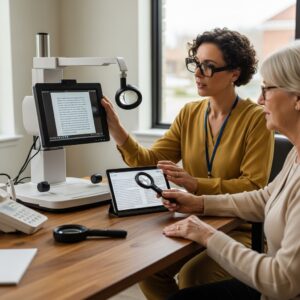
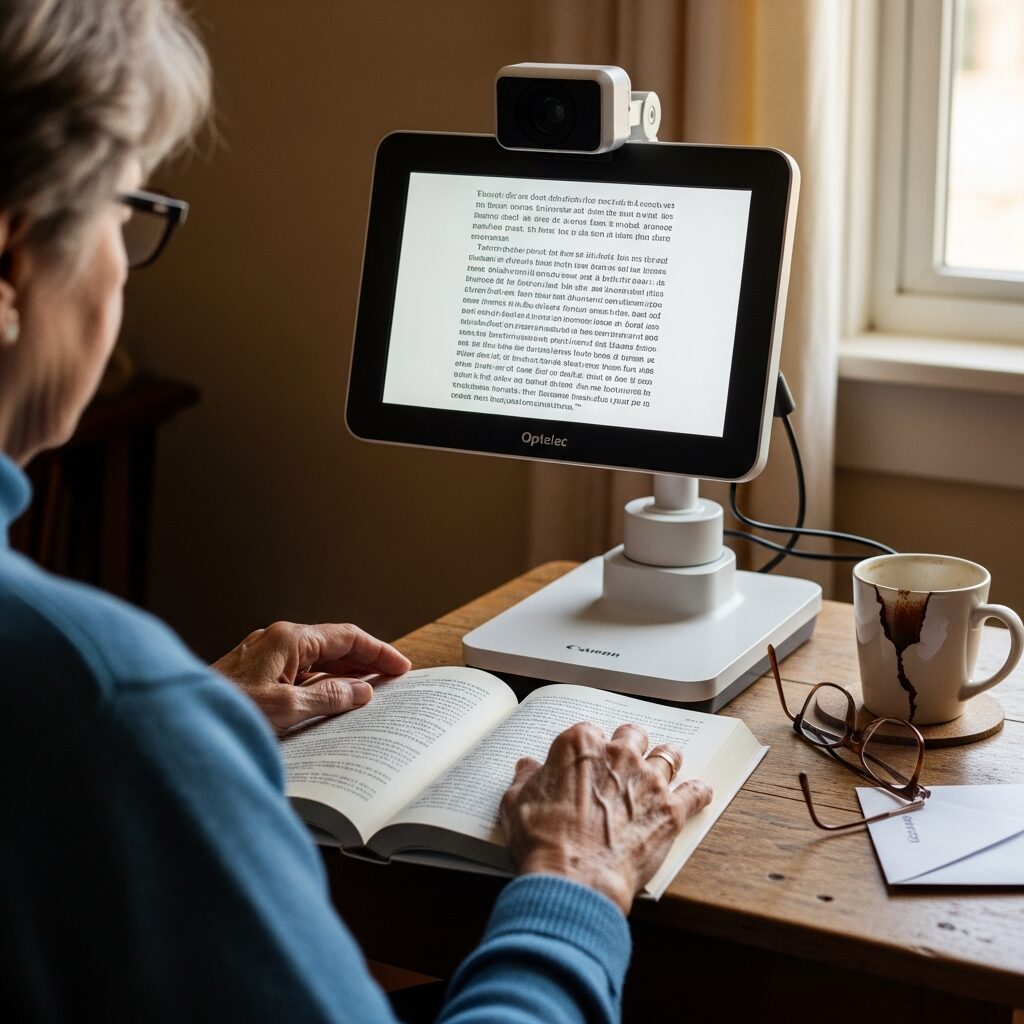
Desktop video magnifiers, also called CCTVs, are the gold standard for sustained reading at home. A camera mounted above a sliding tray captures the page, and a 20-inch or larger screen displays it at adjustable magnification. You can switch between full color, high-contrast black-on-white, white-on-black, yellow-on-blue, and other modes that often make text dramatically clearer than the original. Reading lines and column markers help you track across the page without losing your place.
CCTVs handle newspapers, books, bills, magazines, and even handwriting. Many models also let you write underneath the camera, so you can sign checks, fill out forms, or jot notes while watching the screen. This is the device most low vision professionals recommend when reading is the central concern.
Portable Electronic Magnifiers
Portable electronic magnifiers are pocket-sized versions of the CCTV idea. They have small screens, usually 5 to 10 inches, with a built-in camera and the same contrast modes and zoom levels as a desktop unit. Most include image freeze, so you can capture a label or menu and then bring the device closer to your eye to read it. Prices range from around 500 dollars for entry-level models to over 1,200 dollars for premium devices with longer battery life and advanced features.
Dedicated Reading Machines
Dedicated reading machines do something different from magnifiers. Instead of enlarging text, they read it aloud. The OrCam Read is a finger-sized device you point at a page or screen, and it captures and speaks the text in seconds. The KNFB Reader app, now part of the OneStep Reader, does the same thing on your smartphone. These tools shine when magnification has hit its limits and you simply want to listen to a book, document, or piece of mail rather than struggle to see it.
Free and Low-Cost Digital Solutions
Before spending hundreds or thousands of dollars on dedicated devices, look at the technology you already own. Modern smartphones, tablets, and e-readers include accessibility features that rival paid equipment, and they cost nothing to enable. Our deep-dive on digital tools and apps for macular degeneration (publishing soon) covers these in greater detail.
Smartphone Accessibility Features
iPhones include a built-in Magnifier app that turns the phone’s camera into a portable magnifier with zoom, contrast, and freeze-frame controls. VoiceOver reads anything on the screen aloud, including emails, articles, and texts. Android phones offer the same capabilities through Magnification gestures and TalkBack. Both platforms can also read printed text aloud through the camera using free apps like Seeing AI from Microsoft, Envision AI, and Google Lookout.
E-Reader and Tablet Settings
Kindle devices and apps let you raise font size dramatically, switch to bold text, and choose high-contrast themes. The Kindle Paperwhite and Kindle Oasis are particularly popular with low vision readers because of their adjustable warm lighting and crisp e-ink display. iPads and Android tablets allow even more customization, including system-wide larger text, bolder fonts, and color filters that tint the screen for better contrast. Audible and other audiobook services pair beautifully with these settings, letting you switch from reading to listening within the same book.
Choosing the Right Reading Aid for Your Vision Level
The best reading aid depends less on the brand or price tag and more on where your vision is right now. Matching the device to your stage of AMD is the single biggest factor in whether you will actually use it. For the broader context on how aids work together across daily life, our complete macular degeneration low vision aids guide is a good companion read.
Early AMD: Larger print, better task lighting, and simple handheld or stand magnifiers usually do the job. Bold-tip pens, high-contrast checkbooks, and large-print books extend the runway considerably.
Moderate AMD: Electronic magnifiers begin to outperform optical ones. Desktop CCTVs at home and portable electronic magnifiers on the go offer the contrast modes and zoom range that make sustained reading possible again.
Advanced AMD: When magnification alone is no longer enough, text-to-speech becomes essential. Reading machines, smartphone OCR apps, and audiobook services let you keep enjoying books, news, and correspondence even when the print itself is out of reach.
A formal low vision evaluation is what makes this match work. A low vision specialist tests your visual acuity, contrast sensitivity, and reading speed, then recommends devices calibrated to your specific eyes. Many people abandon reading aids not because the devices are bad but because the device was wrong for their vision level. Try-before-you-buy programs at agencies like NELVB let you take a CCTV, a portable magnifier, or a reading machine home for a real test in your actual reading chair, with your actual lighting, on the materials you actually want to read.
Take the Next Step
You do not have to give up reading. The right combination of magnifiers, electronic devices, and built-in smartphone tools can keep books, mail, and the morning paper part of your daily life for years to come. The key is finding the match for your vision, not guessing from a product page.
NELVB offers in-home low vision evaluations and reading aid demonstrations across New England. You can try CCTVs, portable magnifiers, and reading machines side by side in your own home, with your own lighting and your own books, before you buy anything. Schedule a consultation to find the reading solution that fits your eyes and your life.
Authority References:
– BrightFocus Foundation, Macular Degeneration: https://www.brightfocus.org/macular/
– American Foundation for the Blind: https://www.afb.org/
– BARD, National Library Service for the Blind and Print Disabled: https://www.loc.gov/nls/braille-audio-reading-materials/