LyriQ OptiQ+ CCTV Desktop Magnifier With Text-to-Speech

LyriQ OptiQ+ CCTV Desktop Magnifier With Text-to-Speech makes reading and viewing easier by automatically adjusting magnification and color based on what you place under the camera. With up to 60X magnification, a 24-inch high-contrast touchscreen, and full-page text-to-speech OCR, it helps make books, mail, photographs, documents, and other everyday materials more accessible.

$3,995.00

-

View Brochure
View User Manual
Description

LyriQ OptiQ+ CCTV Desktop Magnifier With Text-to-Speech makes everyday reading feel easier

When reading shouldn’t feel like work

A letter from a friend. A favorite book. A recipe. A photograph. A bill that needs to be understood. When vision changes, ordinary reading and viewing can become tiring, frustrating, and dependent on someone else. You may find yourself constantly adjusting a magnifier, changing settings, or trying to find the right position just to see comfortably.

The LyriQ OptiQ+ CCTV Desktop Magnifier With Text-to-Speech is designed to make that experience simpler. Place your material on the X-Y table and OptiQ+ can automatically determine how much magnification you need and adjust the color mode based on whether you are viewing text or a picture. You can spend less time managing the technology and more time doing what you came to do.

A desktop magnifier that does more for you

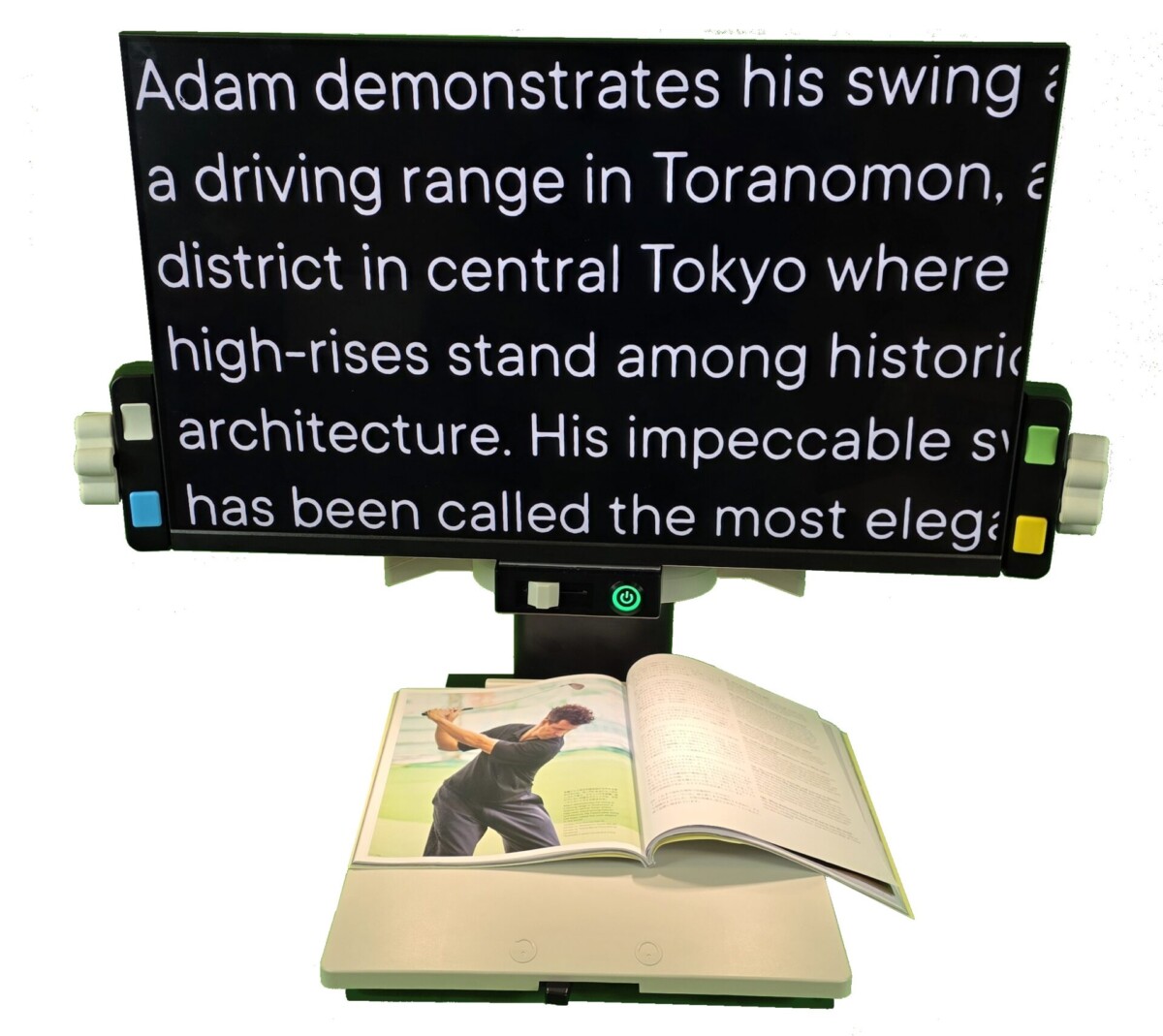
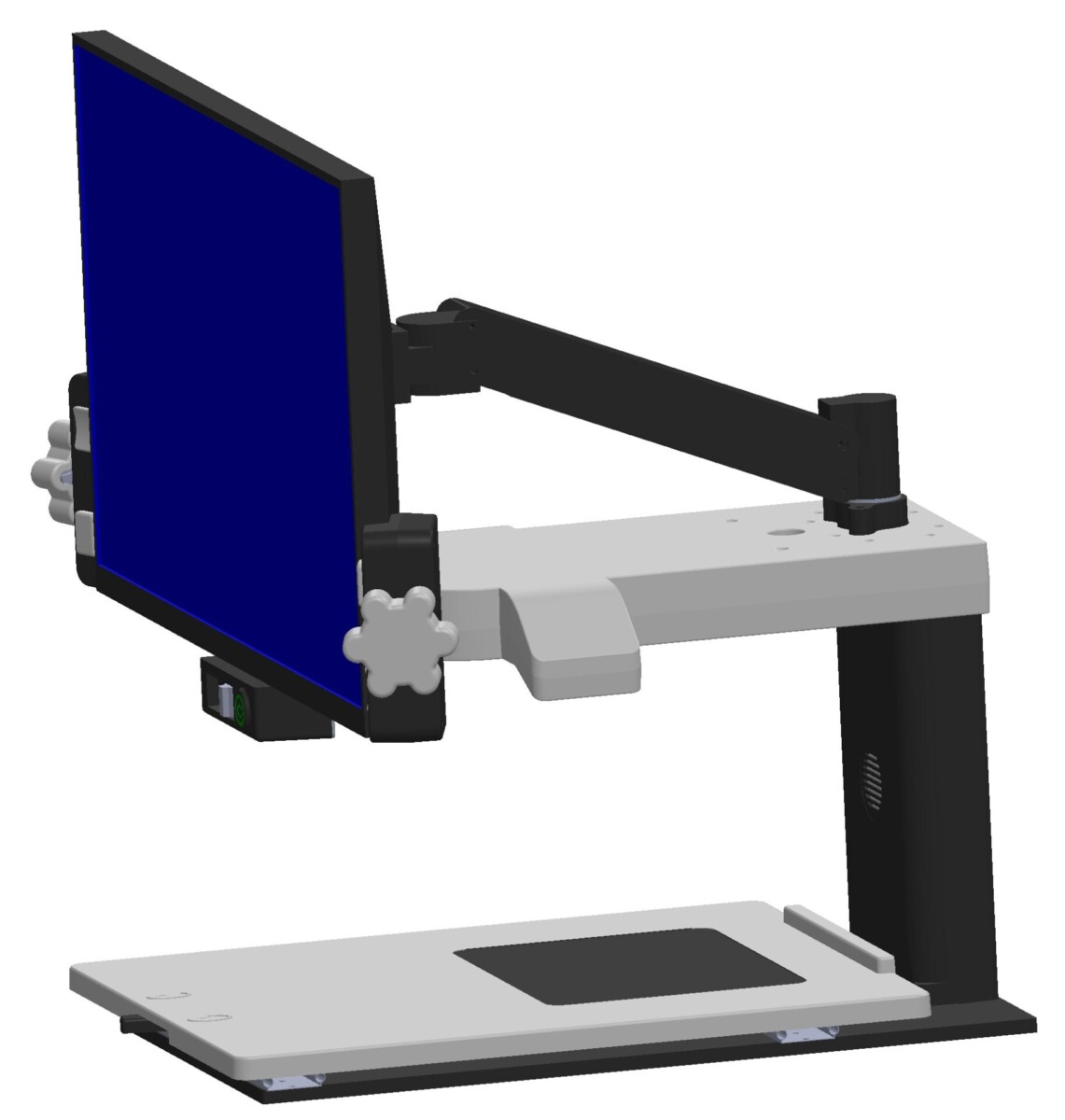
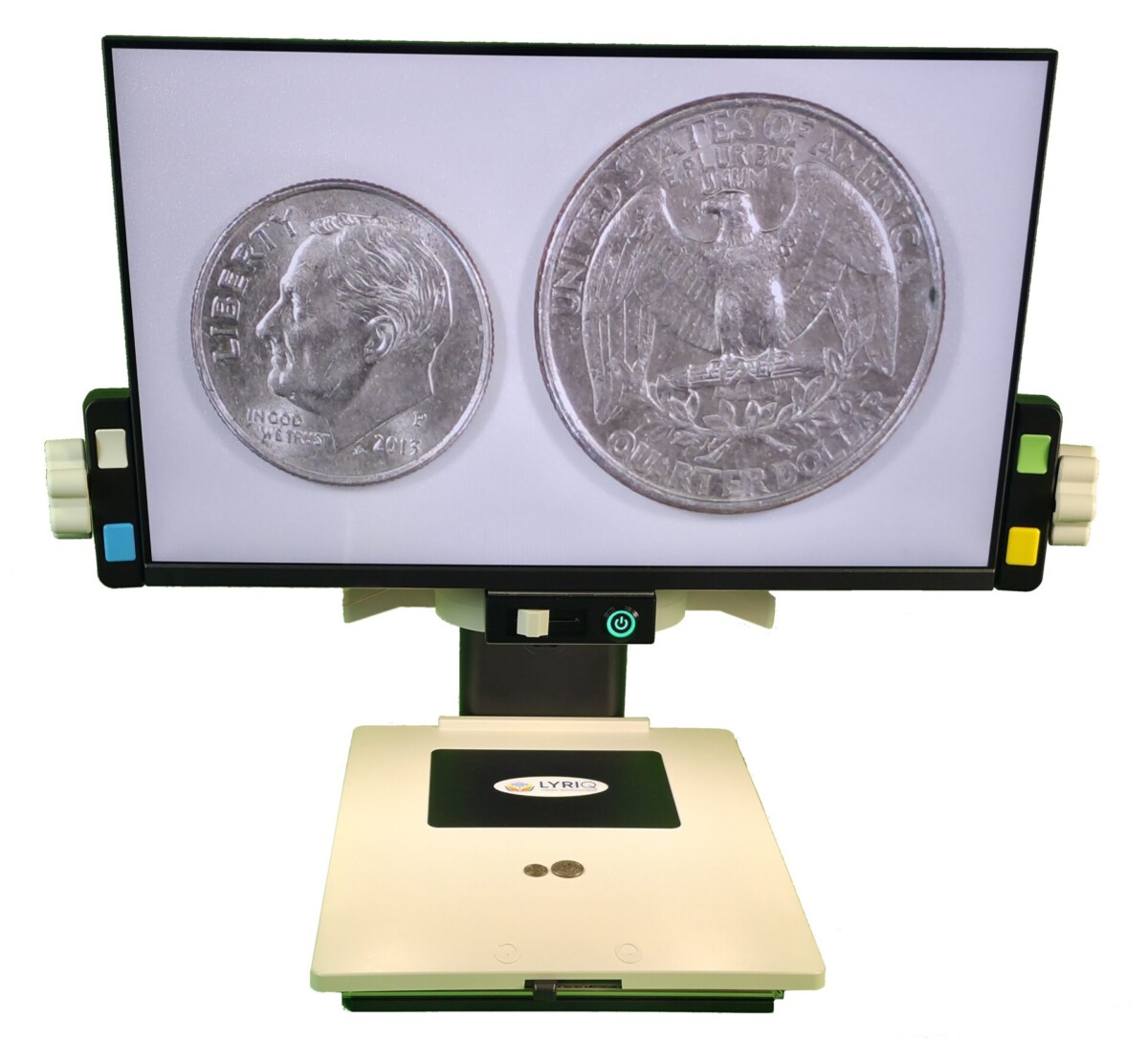
With a 24-inch high-resolution, high-contrast touchscreen display, up to 60X magnification, and a 64-megapixel camera, the LyriQ OptiQ+ provides a large, detailed view of the material in front of you. The display can tilt and pivot vertically and horizontally, helping you find a comfortable viewing position.

For people who benefit from hearing as well as seeing information, instant full-page text-to-speech OCR can read printed material aloud. The system also offers multiple viewing modes, including native color, enhanced colors, contrast, greyscale, and high-contrast false colors for text.

What makes the LyriQ OptiQ+ Unique

Less Adjust. More Seeing.

What makes the LyriQ OptiQ+ different is EZ-View Technology. It automatically adjusts the size of text on the screen regardless of the font size on the page, recognizes whether you are looking at text or a picture, and can automatically highlight or shade a line of text.

For someone with low vision, that can mean fewer buttons to press, fewer settings to remember, and less frustration. The technology quietly takes care of many of the adjustments so you can focus on the information in front of you.

Larger Dials Make Adjustments Easier

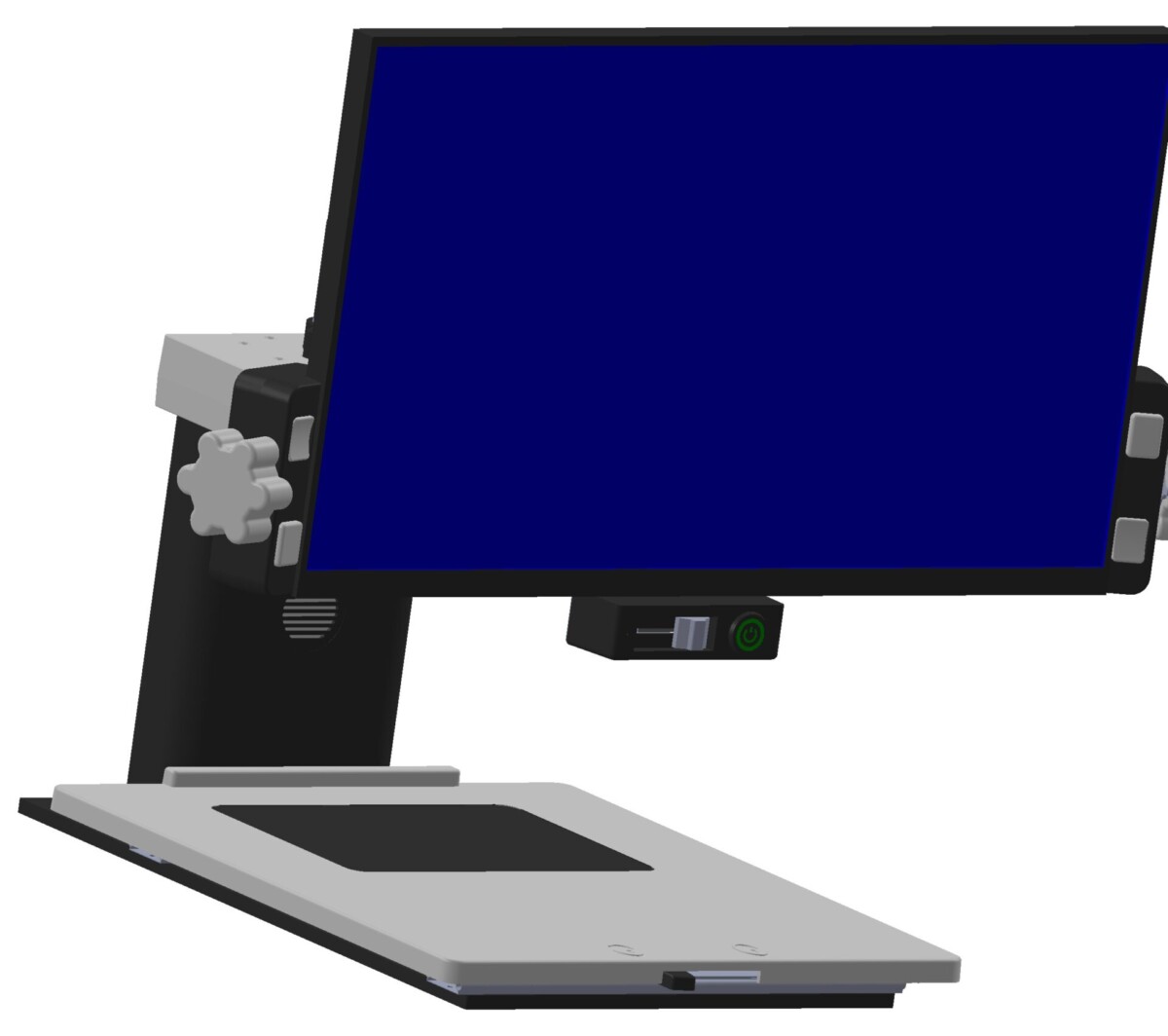
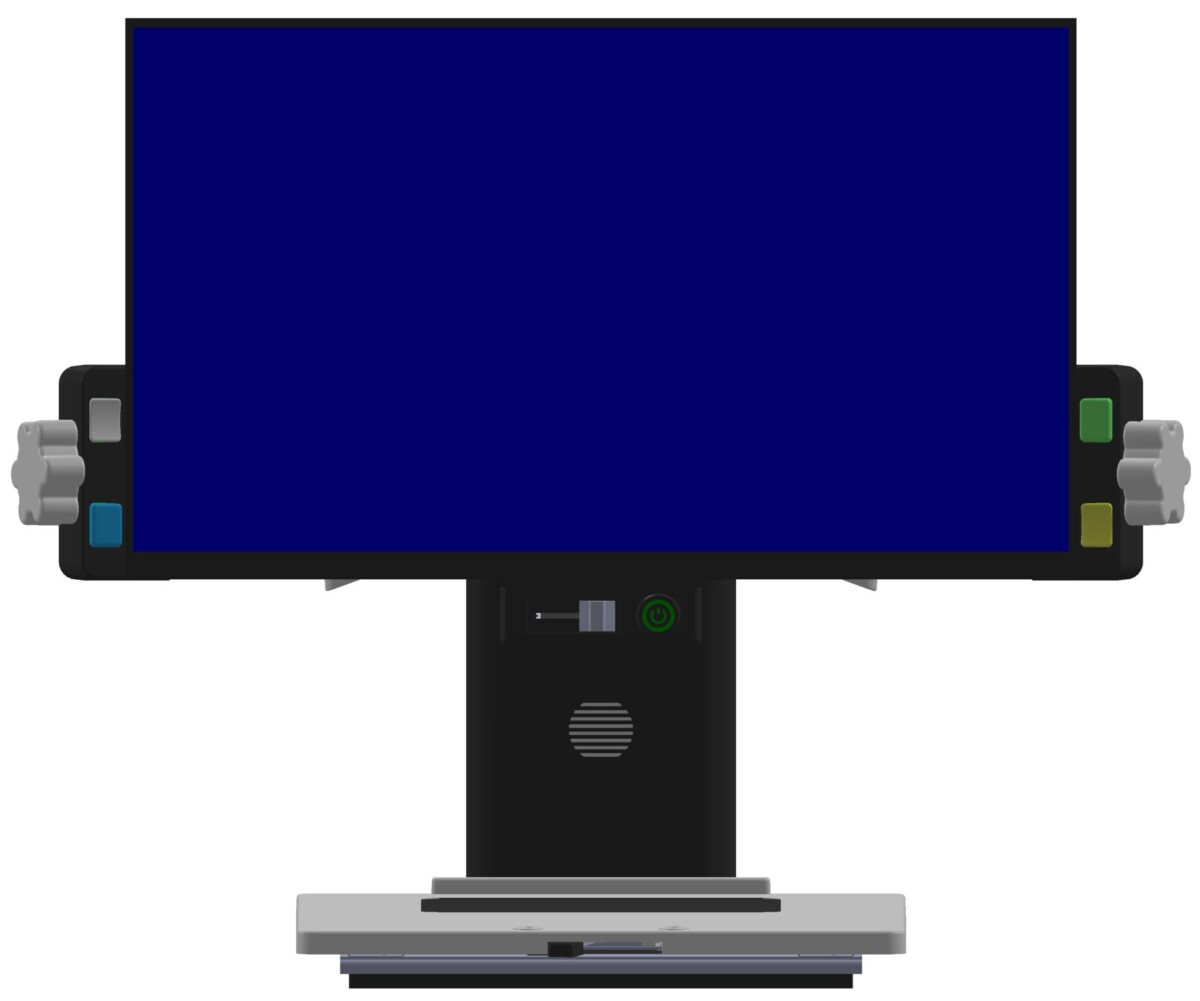
The LyriQ OptiQ+ features larger, ergonomically designed side dials that are easy to see, reach, and grip. Their generous size makes it easier to make precise adjustments without having to search for or pinch a small control—especially helpful for anyone with limited dexterity or sensitivity in their hands.

Whether you want to fine-tune the magnification or make another manual adjustment, the larger dials give you a comfortable, confident grip and straightforward control.

Who Can Benefit From LyriQ OptiQ+ CCTV Desktop Magnifier With Text-to-Speech?

The LyriQ OptiQ+ is designed for people who want a comfortable, flexible way to see and hear printed information at home, at school, or in the workplace.

  • Seniors: Read mail, books, newspapers, recipes, labels, and other everyday materials with a large, adjustable view and text-to-speech when listening is easier than reading.
  • Students: View textbooks, worksheets, notes, and other educational materials at a comfortable size while using OCR to hear printed text.
  • Veterans: Access personal documents, correspondence, reading materials, and other information with less reliance on handheld magnifiers.
  • Professionals: Review printed documents, forms, reports, and other work materials on a large display with flexible viewing options.
  • Hobbyists: Enjoy photographs, crafts, cards, newspapers, and other detailed materials with magnification and color settings suited to the activity.
  • People With Changing Vision Needs: EZ-View Technology can automatically adjust magnification and viewing mode, making the system easier to use when different materials require different settings.

How Will LyriQ OptiQ+ CCTV Desktop Magnifier With Text-to-Speech Change Your Life?

The LyriQ OptiQ+ is designed to make the technology work around you instead of requiring you to constantly work around the technology. Place a document, book, photograph, or other material on the X-Y table, and EZ-View Technology can automatically adjust the magnification and color mode for the material you are viewing.

That means a page with small print can be enlarged automatically, while a photograph can remain in full color. When you’re reading text, the system can also provide automatic line highlighting or shading to help you keep your place.

And when seeing the information isn’t enough, instant full-page text-to-speech OCR gives you another way to access printed material. The 24-inch touchscreen provides a large viewing area, while the display can tilt and pivot to help you find a comfortable position.

The result is a desktop magnifier that can help you spend less time adjusting settings and more time reading, learning, working, and enjoying the things that matter to you.

What the Experts Say

“People shouldn’t have to become technology experts just to read a letter, a book, or something they’ve always enjoyed. What I like about the LyriQ OptiQ+ is that it takes so much of the adjustment out of the process. It gives people a large, clear view and lets the technology do more of the work for them.” — Scott Krug, President, New England Low Vision and Blindness

Experience the LyriQ OptiQ+ CCTV Desktop Magnifier With Text-to-Speech Today

When reading becomes difficult, the right technology can help you get back to doing things on your own. The LyriQ OptiQ+ CCTV Desktop Magnifier With Text-to-Speech combines powerful magnification, automatic adjustments, and text-to-speech in a system designed around comfortable, everyday use.

New England Low Vision and Blindness is committed to helping you find the right low vision solution for your vision, lifestyle, and goals. Contact us to learn more or schedule a no-obligation consultation.

Helpful Resources

Features

EZ-View Technology
EZ-View Technology automatically handles several adjustments that would otherwise require manual controls, helping make the OptiQ+ easier to use.

Automatic Magnification
OptiQ+ detects the size of text on the page and automatically adjusts the magnification so the text on screen remains at a comfortable viewing size.

Automatic Color Adjustment
The system recognizes whether you are viewing text or a picture and automatically changes the viewing mode accordingly.

Instant Text-to-Speech OCR
Instant full-page OCR can recognize printed text and read it aloud, giving you another way to access information when reading visually is difficult.

Large Touchscreen Display
The 24-inch high-resolution, high-contrast touchscreen provides a large viewing area for reading and viewing detailed materials.

Flexible Viewing Position
The screen tilts and pivots vertically and horizontally, allowing you to adjust the display to a comfortable position.

Manual Controls When You Want Them
For users who prefer direct control, OptiQ+ includes two ergonomically positioned knobs and four color-coded buttons for manual adjustments.

Specifications

Technical Specifications

  • Product: LyriQ OptiQ+ CCTV Desktop Magnifier With Text-to-Speech
  • Camera: 64-megapixel high-resolution camera
  • Display: 24-inch high-resolution, high-contrast touchscreen
  • Magnification: Up to 60X
  • Viewing modes: Native, enhanced colors, contrast, greyscale, and high-contrast false colors
  • OCR: Instant full-page text-to-speech OCR
  • EZ-View Technology: Automatic magnification adjustment
  • EZ-View Technology: Automatic text and picture classification
  • EZ-View Technology: Automatic line markers
  • Display adjustment: Tilts and pivots vertically and horizontally
  • Manual controls: Two ergonomic knobs and four color-coded buttons

Reviews

“Having the magnification adjust automatically makes such a difference. I can put down a new document and start reading instead of figuring out the settings first.” — Linda, Retired Teacher

“I use a desktop magnifier every day, and what I like about the OptiQ+ is that it doesn’t make me think about the technology. I put something underneath it and get to work.” — Robert, Retired Professional

“The text-to-speech feature gives me another option when my eyes get tired. Sometimes I want to read something, and sometimes I would rather listen.” — Carol, Retired Librarian

“The large screen is a big improvement for me. I can see the whole page much more comfortably than I could with a small handheld magnifier.” — James, U.S. Army Veteran

“I like that pictures look like pictures and text can switch to a high-contrast view automatically. It makes moving between different materials much easier.” — Susan, Senior

“I’ve used electronic magnification for years, but the automatic adjustments make this feel much simpler. I spend more time using it and less time setting it up.” — Michael, Accessibility Professional

What's in the box?

  • LyriQ OptiQ+ CCTV

Frequently Asked Questions

The LyriQ OptiQ+ CCTV Desktop Magnifier With Text-to-Speech is a desktop electronic magnifier designed to enlarge and enhance printed materials, photographs, and other objects. It also includes full-page text-to-speech OCR for reading printed text aloud.
The LyriQ OptiQ+ provides up to 60X magnification. EZ-View Technology can also automatically adjust magnification based on the size of the text being viewed.
EZ-View Technology is designed to reduce the need for manual adjustments. It can automatically adjust magnification, recognize whether the material contains text or a picture and select an appropriate viewing mode, and automatically highlight or shade a line of text when prompted.
Yes. The LyriQ OptiQ+ includes instant full-page text-to-speech OCR, allowing printed text to be recognized and read aloud.
Yes. Although EZ-View Technology is designed to minimize the need to use the controls, the system includes two ergonomically positioned knobs and four color-coded buttons for manual control.
Viewing modes include native color, enhanced colors, contrast, and greyscale for pictures, along with a variety of high-contrast false colors for text.
At New England Low Vision and Blindness, we provide personalized training to ensure you get the most out of your LyriQ OptiQ+ CCTV Desktop Magnifier With Text-to-Speech.
New England Low Vision and Blindness offers financing options to make this technology more accessible. Please visit our Financing page for solutions: https://nelowvision.com/financial-support-for-assistive-technology/.

What Our Customers Say

Hear from people whose lives have been transformed by New England Low Vision and Blindness.

stars

"Thank you so much for all your efforts and pics in providing mom with the CCTV. Your warm and gracious letter has given me and my two brothers Win & Scott great satisfaction and confidence that you have indeed made a happy woman out of Jane. I can’t tell you how much this will change her quality of life but I’m sure being in the business you’re in you have an idea. My best to you and your great company!"

placeholder-testimony
Peter R.

Consumer visiting with his mom

stars

"Working with NELVB has been a truly positive experience. I first connected with Scott over a decade ago to support one of my students, and his involvement made a lasting impact on both the student and their family. Since then, he’s continued to provide valuable support through demos and programs. It’s always been about what’s best for the kids, and that’s what matters most to me."

placeholder-testimony
Lynn

Teacher for the Visually Impaired"

stars

"Thank you again for an excellent visit yesterday. My dad and I appreciated the time you spent with us, your thorough explanations of the various options and of the Stella lamp. I could tell that he was extremely pleased at the thought of being able to once again manage his piles of papers. My hope is with that victory and order, he’ll feel empowered and ready to tackle some other matters in his life."

placeholder-testimony
Mary

Mary, Consumer from NH

Are You Ready to Unlock the Power of Assistive Technology?

Take the first step toward greater and confidence!
About New England Low Vision and Blindness

At New England Low Vision and Blindness, we bring hope through assistive technology, personalized training, and compassionate care. As a full-service provider, we offer a wide range of solutions for individuals who are blind, have low vision, or are hard of hearing, backed by experienced Technology Rehabilitation Trainers.

With access to nearly every major technology brand and custom training services, we help clients discover the best tools to meet their personal, educational, or professional goals.

Visit our showroom or schedule a no-obligation assessment at home, school, or work for a relaxed, 1-on-1 demonstration.

Easy Monthly Payments

Get the technology you need now and pay over time with Affirm. Simple monthly payments, no hidden fees—a smarter way to stay independent and enhance your life.

Delivery & Set-Up

Enjoy our Premium White Glove Service with Peace of Mind Warranty—your technology is hand-delivered, expertly set up, and thoroughly explained at your location.

Training & Tips

Get personalized training at your home, workplace, or school—right where you’ll be using the technology most. We help you build confidence in the environments that matter.