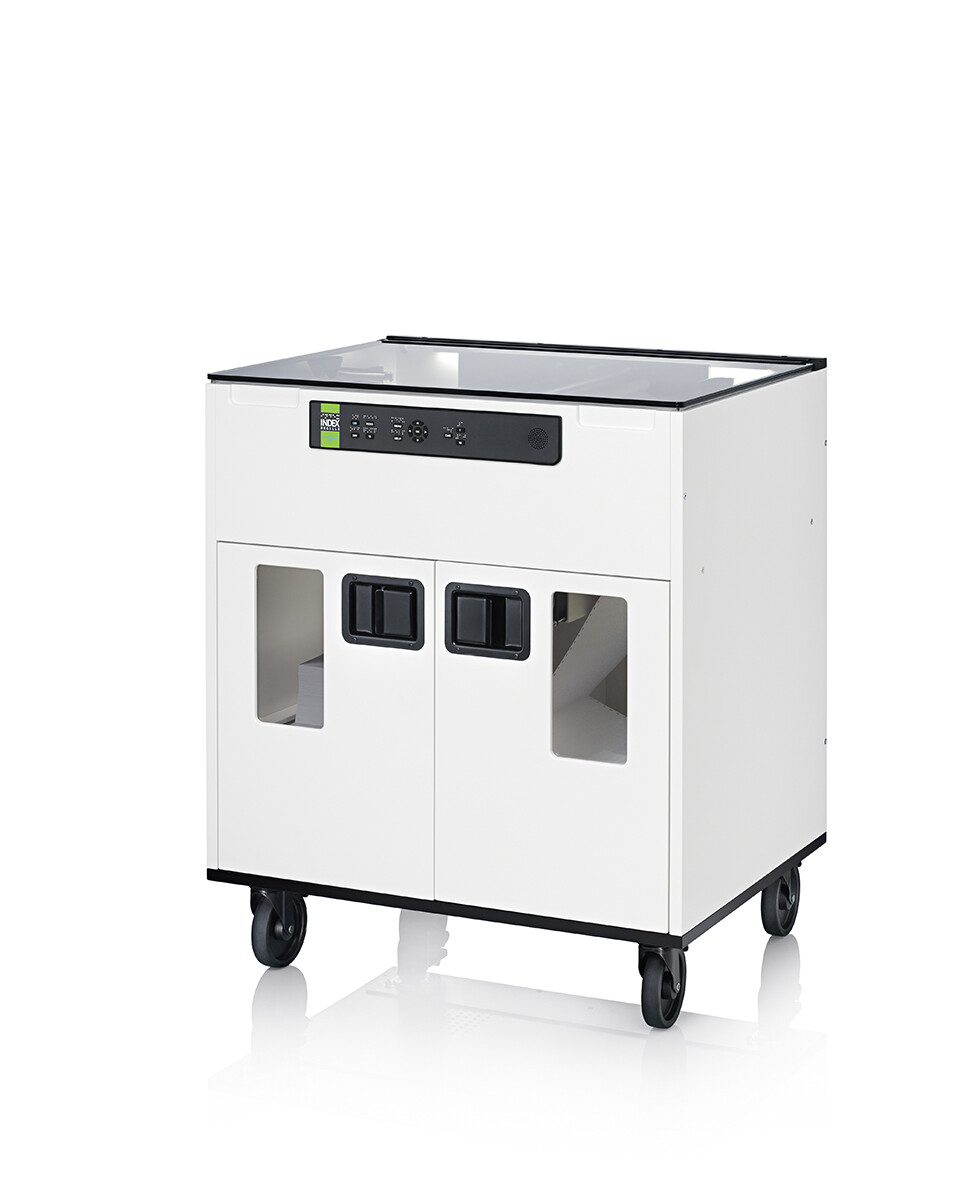
FanFold-D V5 Braille Embosser Production/Departmental
$23,799.00
Need Help?
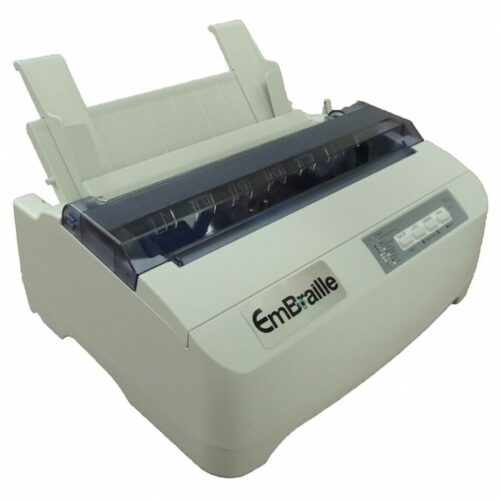
The FanFold-DV5 Braille Embosser Production/Departmental is a truly affordable high-speed, single-tractor-fed braille printer, and at an affordable price. Some of the features include:
- 1000 pages per hour
- Low noise level
- Streamlined, simple construction
- Easy maintenance
- Intelligent user interface
Traditional High-Speed Fanfold Paper
Continuous fanfold paper is traditionally the most popular format in braille high-volume production printing. This enables the printing of a full box of paper without the need to monitor.
Noise-canceling design
The noise level of the Fanfold-D V5 is the lowest among high-speed braille printers and has been achieved by:
- Fully sealed unit including paper in and out bins
- Installation of mufflers for ventilation
- Acoustic hood with internal noise-damping hood
Here are some important information and links to review:
- Fanfold sound sample: https://youtu.be/UHVnCraG1dw
- The narrated presentation on the Humanware YouTube Channel: https://youtu.be/2a7ghUg7mHo
- Setting up your Fanfold DV5 before delivery https://youtu.be/3tGE8iA9Ey4
- The many benefits of the FanFold-D V5 Braille – The Affordable Departmental Embosser <click here>
- FanFold-D V5 embosser images: Link to Flickr Album
Videos and Hot Fix Links
- Library of several helpful videos
- FanFold-D getting started
- BrailleBox getting started
- Web Interface to Monitor V5 Printers
Index BrailleApp is available in all Index V5 printers, connected to a LAN and upgraded to the latest firmware.
Braille Printing Made Easy
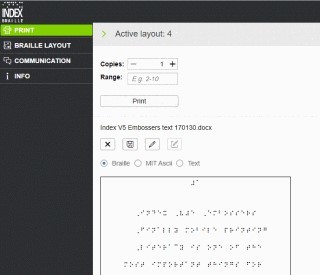
By using the BrailleApp and any V5 printer a standard document may be printed in braille without additional software or braille knowledge.
Index BrailleApp
- Index BrailleApp is available in all Index V5 printers, connected to a LAN and upgraded to the latest firmware.
- Supports literary and contracted braille in more than 150 languages (Liblouis table)
- Intuitive setup. The BrailleApp uses the translation and formatting parameters defined by the printer’s active layout.
- Easy to use, no license or registration is required.
- Supports operating systems such as Windows, iOS, Android, Linux, Unix.
- Supports standard browsers such as Internet Chrome, Safari, Firefox.
<Click here to learn more about BrailleApp>
BrailleApp Printing – How to print standard documents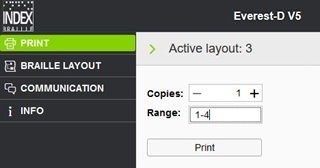
Select the browse button in the BrailleApp home page. Select your standard file (.doc, docx, pdf, ePub).
- Press “preview”. Now the braille text will be presented on your screen,
- Braille presentation is default. It can be edited by six-key-entry where f=1, d=2, s=3, j=4, k=5 and l=6 or any dot combination.
- MIT Ascii. In this window the braille text is presented as corresponding standard American text. The braille document may be edited with a standard keyboard.
- Text representation is generated with the back translation in Liblouis. The text window cannot be edited.
- To print, go to Braille representation, select number of copies/range and print.
- The edited braille file may be saved.
<Click here to learn more about BrailleApp Printing>
Braille Labels – Label printing features in the BrailleApp:
- Setup of user defined label including size, margins, position, number of labels etc.
- Printing of single and double sided labels
- Supports Index V5 printers
The Index BrailleApp is a game-changer of Braille editors. It is included free-of-charge, for an unlimited number of users in all Index V5 printers.
- Braille editor with Previewing, editing and saving of the braille document
- Braille layout monitoring, selection and editing
- Monitoring of the embosser, status, update, network, Bluetooth and USB memory stick
- Communication setup, network and Bluetooth
Here are the latest Firmware Updates:
- June 2022 Firmware Update
- August 2021 Firmware Update
- February-2020 Firmware Update for V5 embossers – Index BrailleApp
- October-2019 Firmware Update for Romeo and Juliet Embossers
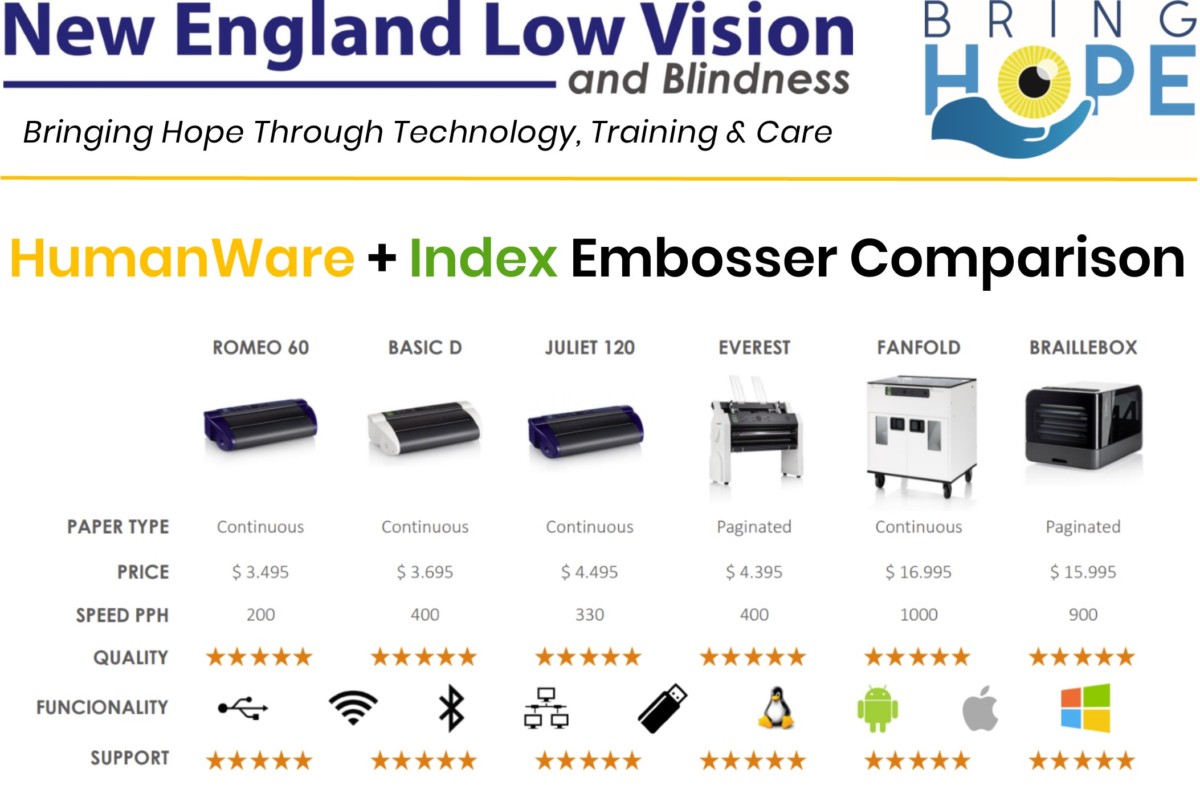
Here’s a helpful comparison chart to help you decide:
Product Manual
About New England Low Vision and Blindness
At New England Low Vision and Blindness, we bring hope through assistive technology, personalized training, and compassionate care. As a full-service provider, we offer a wide range of solutions for individuals who are blind, have low vision, or are hard of hearing, backed by experienced Technology Rehabilitation Trainers.
With access to nearly every major technology brand and custom training services, we help clients discover the best tools to meet their personal, educational, or professional goals.
Visit our showroom or schedule a no-obligation assessment at home, school, or work for a relaxed, 1-on-1 demonstration.